How Long Does It Take To Recharge a Portable Jump Starter?
Figuring out how long to recharge a portable jump starter can be tricky when you’re just starting. It’s common to wonder, “How long will it take?” or “Am I doing this right?” Don’t worry, it’s easier than it seems! Many factors can influence the charging time. This post will break down everything you need to know in a simple, step-by-step way. We’ll explore the main influences on recharge times to keep you safe and prepared when you need a boost. Let’s get started!
What Influences Jump Starter Recharge Time?
Several things affect how quickly your jump starter charges up. Understanding these elements can help you make the best choices when purchasing a jump starter and keep your equipment in top condition. These factors directly impact the speed at which your device regains its power, preparing you for when you might need it.
Battery Size and Capacity
The size of the battery inside your jump starter is a primary factor. Bigger batteries, designed to handle larger vehicles or more jump starts, naturally take longer to fully recharge. This is similar to how a larger gas tank takes longer to fill. Battery capacity is measured in milliampere-hours (mAh). A jump starter with a higher mAh rating can deliver more power, but also means it will require more time to recharge. Make sure to check the mAh and consider how the size fits your regular needs.
- mAh Explained: Milliampere-hours (mAh) measure the capacity of a battery, indicating how much current it can supply over time. A 10,000 mAh battery can deliver 10,000 milliamps for one hour or 1,000 milliamps for ten hours. Larger mAh values mean more capacity, suitable for more powerful jump starters.
- Battery Chemistry: Different battery chemistries like Lithium-ion (Li-ion) and Lithium Polymer (LiPo) also influence charging times. Li-ion batteries often charge faster than older battery technologies, but they may have specific charging requirements to maintain their lifespan and protect them from overheating or overcharging.
- Example: A jump starter with a 6,000 mAh battery might take 3-4 hours to charge, while a more robust model with 12,000 mAh could take 6-8 hours or longer. The specific specifications should be provided in the product information.
Charging Source and Power Output
The type of charger and power source you use also matters a lot. A charger with a higher power output delivers energy to the jump starter more quickly. Think of it like a water hose; a wider hose (more power) fills the pool (jump starter) faster than a narrow hose (less power). Using the proper charger is essential to avoid damaging the device. Always use the charger provided by the manufacturer or a compatible one with the correct voltage and amperage to maintain the battery’s health.
- Charger Amperage: The amperage (amps) of your charger is critical. Chargers come in different amp ratings, such as 1A, 2A, or higher. A 2A charger will usually charge your jump starter faster than a 1A charger. Using a charger with too high an amperage can potentially damage the jump starter’s battery.
- USB Charging: Many modern jump starters have USB ports for charging. While convenient, USB charging might be slower compared to dedicated charging ports, since the amperage from a USB port is often lower. USB-C ports can offer faster charging, but the speed still depends on the power source and the jump starter’s design.
- Wall Outlet vs. Car Charging: The source can affect charging speed. Charging from a wall outlet (using an AC adapter) is usually faster than charging from a car’s 12V outlet. Car charging is more convenient when you’re on the go but often provides a slower charge.
Battery State and Health
The initial state of the battery affects charging. A fully depleted jump starter will naturally take longer to recharge compared to one that’s only partially drained. The battery’s age and health also play a part. Older batteries or those that have experienced many charge cycles might not hold a charge as well or charge as quickly as a new one. Regular maintenance and proper storage can extend the lifespan of the battery and keep it performing well.
- Deep Discharge: When a battery is deeply discharged (completely empty), it often requires a longer initial charging phase to recover and regain its capacity. Avoid letting your jump starter fully discharge whenever possible.
- Battery Degradation: Batteries degrade over time. Their ability to hold a charge diminishes with each use and recharge cycle. This affects the charging time and the amount of power the jump starter can deliver.
- Temperature: Extreme temperatures (very hot or very cold) can also influence charging speed and battery health. Charging in moderate temperatures is best. Avoid leaving your jump starter in direct sunlight or freezing conditions.
How Long To Recharge a Portable Jump Starter: A Step-by-Step Guide
Here’s a practical breakdown to show you how long to recharge a portable jump starter, ensuring your device is ready when you need it. Following these steps helps you optimize the charging process and get the best performance from your jump starter. This practical guide is based on real-world experiences and manufacturer specifications.
Step 1: Check the User Manual
Before you begin, read the user manual that came with your jump starter. This document contains specific instructions about the device, including the recommended charging time, the type of charger to use, and any special precautions. The user manual is the definitive source for this device. It will also provide important details, such as the amperage of the charger that should be used. Not every jump starter is the same, so this is an important initial step.
- Locate the Charging Specifications: The manual should specify the recommended charging time, the type of charger to use, and any safety instructions. This information helps avoid overcharging or damaging the device.
- Identify Warning Signs: Your manual will also identify the indicators that tell you that the jump starter is fully charged.
- Understand Charging Indicators: Learn what the different lights or displays on your jump starter mean (e.g., charging, fully charged, low battery, or error). This helps you monitor the charging progress.
Step 2: Choose the Right Charging Method
Select the appropriate charging method as outlined in your user manual. This usually involves using the charger that came with the jump starter. Many jump starters also allow USB charging for convenience. However, using the correct charger guarantees the best and safest charge. Using the wrong charger or charging method can damage your jump starter or take a very long time to charge.
- Use the Original Charger: Always use the charger provided by the manufacturer. It’s specifically designed for your jump starter’s battery and voltage requirements.
- USB Charging: Some jump starters offer USB charging. This is fine for topping off the charge, but it might take longer than using the dedicated charger.
- Consider the Power Source: Decide where you’ll charge (wall outlet or car outlet). Wall outlets usually provide a faster charge, but car charging is helpful on the road.
Step 3: Connect the Charger
Carefully connect the charger to your jump starter and the power source. Ensure the connections are secure to ensure safe and efficient charging. Proper connections are crucial to avoid electrical hazards or charging delays. Make sure the jump starter is turned off during the charging to speed up the process and minimize risks.
- Connect the Charger to the Jump Starter: Plug the charger into the charging port on the jump starter. Ensure the plug is fully inserted and secure.
- Plug the Charger into the Power Source: Plug the charger into a wall outlet or the appropriate car outlet. Ensure the outlet is functioning.
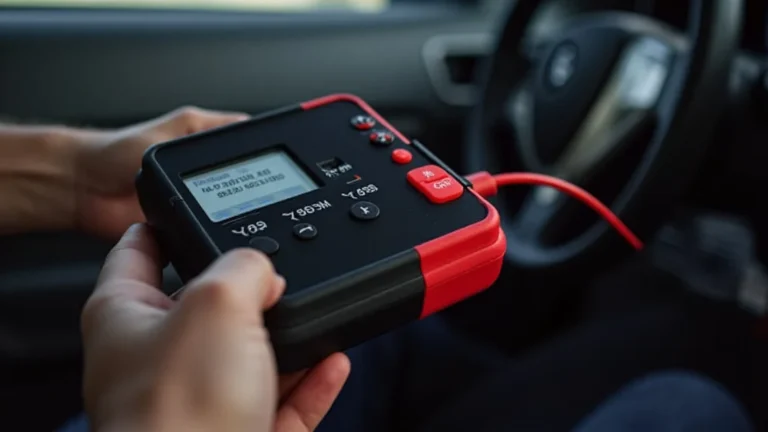
- Observe the Indicator Lights: Many jump starters have indicator lights that show the charging status (e.g., charging, charged, error). This helps you monitor the progress.
Step 4: Monitor the Charging Process
Keep an eye on the charging process. Observe the indicator lights or display on your jump starter to track how long the process takes. This helps you gauge when the device is fully charged. Avoid leaving the jump starter unattended while charging, especially the first few times. Knowing the charge time will also help you to plan for future use.
- Check the Indicator Lights: Watch the lights or display for signs of full charge. Many units show a solid green light or display “100%.”
- Feel for Heat: The jump starter might feel slightly warm, but it should not become excessively hot. If it does, unplug it and consult the manual.
- Time It: Set a timer to gauge the charging duration. This helps you get a sense of how long it takes to charge.
Step 5: Disconnect and Store
Once the jump starter is fully charged, disconnect it from the power source and store it properly. Proper storage keeps your device ready for use. Also, by following these guidelines, you can extend the life of your jump starter and ensure it’s ready when you need it.
- Unplug the Charger: Remove the charger from both the jump starter and the power source.
- Check the Device: Make sure the jump starter is turned off before storing it.
- Store Safely: Store the jump starter in a cool, dry place away from extreme temperatures and direct sunlight.
Common Charging Issues and Troubleshooting
Sometimes, problems come up when you are recharging your jump starter. Knowing what to do can save you time and help you to quickly get back on the road. Here are some common issues and their solutions. These troubleshooting tips ensure your device charges correctly and remains in good working order.
The Jump Starter Isn’t Charging
If your jump starter isn’t charging, the problem could be something simple. Before you jump to conclusions, here are a few things to check. Addressing these basics first helps you avoid unnecessary troubleshooting and gets your device working again quickly.
- Check the Charger Connection: Make sure the charger is properly plugged into both the jump starter and the power outlet. Ensure the connections are secure.
- Test the Power Outlet: Try plugging the charger into a different outlet to ensure the original outlet is working. You can also test the outlet with another device.
- Examine the Charger: Inspect the charger for any visible damage (e.g., frayed wires, cracks). If the charger is damaged, replace it.
The Jump Starter Takes Too Long To Charge
If the charging time seems excessive, several factors may be at play. Identifying these potential issues helps you understand why your jump starter takes longer than usual to charge. Finding and fixing the cause can save time and keep your jump starter ready for use.
- Check the Charger’s Amperage: Using a charger with a lower amperage than recommended by the manufacturer can slow down the charging process.
- Consider the Battery’s Age: Older batteries might take longer to charge or not hold a full charge as efficiently.
- Check the Temperature: Extreme temperatures (cold or hot) can slow down the charging process. Charge your jump starter in a moderate temperature setting.
The Jump Starter Overheats
If your jump starter gets too hot while charging, it’s a sign of a potential issue. Addressing this promptly can help prevent damage to the device. Overheating can reduce the lifespan of the battery or even make the device unsafe. Addressing the issue immediately is key to safety.
- Stop Charging Immediately: Unplug the jump starter from the charger and let it cool down.
- Check the Charger: Ensure you are using the correct charger and that it is not damaged.
- Contact Customer Service: If the problem continues, contact the manufacturer’s customer service for assistance.
The Jump Starter Doesn’t Hold a Charge
If your jump starter doesn’t hold a charge, even after being fully charged, this suggests a problem with the battery. This reduces its usefulness when you need it. Identifying the issue helps you to get it working properly again.
- Check the Battery’s Health: Older batteries or those that have been deeply discharged many times may lose their ability to hold a charge.
- Test and Recharge: Charge the jump starter fully and then let it sit for a few days. If it discharges quickly, the battery may be failing.
- Consider Replacement: If the battery continues to drain quickly, it might be time to replace the jump starter.
Understanding Battery Types in Jump Starters
The type of battery in your jump starter has a big impact on its performance and charging requirements. Knowing these differences can help you manage your jump starter and make informed decisions when you’re thinking about a replacement. Each type has its benefits and drawbacks that affect charging speeds, lifespan, and overall performance.
Lithium-Ion (Li-ion) Batteries
Lithium-ion batteries are common in modern jump starters. They offer several advantages, including faster charging times and a lightweight design. This makes them convenient for everyday use. Lithium-ion batteries often provide a good balance between performance and portability.
- Charging Speed: Li-ion batteries generally charge faster than older technologies, often reaching full charge within a few hours.
- Weight and Size: These batteries are lighter and smaller, making the jump starter more portable.
- Maintenance: Li-ion batteries require a specific charging protocol to prevent overcharging and damage. Use the charger that comes with the device.
Lithium Polymer (LiPo) Batteries
Lithium Polymer (LiPo) batteries are similar to Li-ion but offer a few extra benefits. They can be even lighter and provide a higher power output for their size, making them useful in more demanding situations. These batteries are common in devices requiring high energy density and are often preferred for their design versatility.
- High Power Density: LiPo batteries can deliver high power, making them ideal for jump-starting vehicles with larger engines.
- Shape Flexibility: LiPo batteries can be manufactured in various shapes, leading to design flexibility in jump starters.
- Charging Precautions: Like Li-ion batteries, LiPo batteries require specific charging protocols to ensure safety and longevity.
Lead-Acid Batteries
Lead-acid batteries were standard in older jump starters. They are known for their reliability and cost-effectiveness. However, they usually take longer to charge and are heavier than lithium-based options. If your jump starter has a lead-acid battery, it’s essential to understand its charging needs to maximize performance.
- Charging Time: Lead-acid batteries take longer to charge, often requiring several hours or even overnight charging.
- Durability: These batteries are durable and can withstand multiple charge cycles.
- Size and Weight: They are heavier and bulkier than lithium-ion or lithium polymer batteries.
Jump Starter Features and Their Impact on Charging
Modern jump starters often come with extra features that can affect charging. Additional functionalities enhance the device’s usability but also influence the charging process. Exploring these features and how they relate to recharging can help you maximize performance and convenience. Some features have little effect, while others require specific considerations during charging.
USB Ports and Charging
Many jump starters include USB ports for charging phones and other devices. These ports are convenient but can affect the charging speed. The power output from USB ports is often limited, so charging the jump starter through a USB port may take longer compared to using a dedicated charger. Understanding how these ports affect charging will ensure you optimize charging times.
- Charging Other Devices: When you use the jump starter’s USB ports to charge other devices, it can drain the jump starter’s battery and impact the overall charge time.
- Input USB Charging: Some jump starters also support USB charging as an input, which can be useful for charging the jump starter itself.
- USB-C: Newer devices often feature USB-C ports, which can provide faster charging than older USB standards.
LED Flashlights and Displays
LED flashlights and digital displays are useful features. While these features don’t directly affect the charging time, using the flashlight or display can drain the battery. Using these features will ultimately affect how quickly the device needs to be recharged. Understanding these small drains ensures you keep your jump starter ready for service.
- LED Flashlights: The LED flashlight consumes power and, with heavy use, will eventually require you to recharge the jump starter.
- Digital Displays: Digital displays provide real-time information about the battery’s charge level and can help monitor the jump starter’s state.
- Power Consumption: While these features consume a small amount of power, extended use can reduce the overall battery life.
Safety Features and Protection Circuits
Modern jump starters come with safety features like overcharge protection and reverse polarity protection. These features don’t affect charging time directly, but they ensure safety and extend the battery’s life. These safety features are useful for long-term jump starter care. The additional features reduce the risk of damage from charging.
- Overcharge Protection: This feature prevents the jump starter from being damaged by overcharging, automatically stopping the charging process when the battery is full.
- Reverse Polarity Protection: This ensures the jump starter doesn’t deliver power if you accidentally connect the clamps the wrong way.
- Short Circuit Protection: Prevents damage if the clamps accidentally touch each other while charging.
Frequently Asked Questions
Question: How long does a portable jump starter usually take to charge?
Answer: It depends on the battery capacity, the charger’s amperage, and the battery type. A jump starter typically takes between 2 to 12 hours to charge.
Question: Can I leave my jump starter plugged in overnight?
Answer: Most modern jump starters have overcharge protection, so it’s generally safe to leave them plugged in overnight. However, it’s always a good idea to monitor the charging process.
Question: What should I do if my jump starter won’t charge?
Answer: Check the charger, the power outlet, and the connections. Consult the user manual for troubleshooting tips. If it still doesn’t charge, contact customer support.
Question: Can I use a car charger to recharge my jump starter?
Answer: Yes, many jump starters can be charged using a 12V car charger. The charging time may be longer than using a wall outlet charger.
Question: How often should I recharge my portable jump starter?
Answer: You should recharge your jump starter after each use and at least every 3-6 months, even if you haven’t used it, to keep the battery in good condition.
Final Thoughts
Knowing how long to recharge a portable jump starter keeps you prepared in various situations. The recharge time depends on several factors, including the battery size, the charger, and the battery’s condition. Following the step-by-step charging guide will help you keep your device ready when you need it. Remember to check the user manual for specific instructions and safety precautions. By understanding these key details, you can ensure your jump starter is always ready to boost your vehicle. Make this knowledge part of your regular maintenance routine to extend the life of your equipment and guarantee peace of mind, knowing you are prepared for unexpected battery issues. Keep your jump starter charged and be ready for the road!