Do You Need Memory Saver for Battery Change The Truth

Featured image for do you need memory saver for battery change
Image source: 3.bp.blogspot.com
While a memory saver isn’t always strictly necessary for a battery change in most modern vehicles, it’s highly recommended to prevent the inconvenience of resetting radio presets, clock, power windows, and the engine’s idle learn process. Using one ultimately saves time and hassle, ensuring a seamless transition and avoiding potential minor issues.
Picture this: It’s a chilly morning, and your car just won’t start. You know the drill – dead battery. The good news is, replacing a car battery isn’t usually a complicated job. But then, a nagging thought creeps in: “What about all my car’s settings? Will I lose my radio presets, the clock, maybe even confuse the engine computer?” This is where the term “memory saver” often pops up, promising to prevent such digital amnesia.
For many drivers, the idea of their car’s brain being wiped clean during a simple battery swap can be intimidating. Modern vehicles are packed with more electronics than ever before, making us wonder if a memory saver is a must-have tool or just an extra gadget. Is it truly essential, or is it an optional convenience for most car owners? Let’s dive deep and uncover the truth about whether you need a memory saver for your next battery change.
My goal here is to cut through the confusion and share insights, just like I would with a friend trying to figure out their car. We’ll explore what these devices do, what actually happens when you disconnect your car’s power, and most importantly, when you should really consider using one versus when you can probably skip it without a worry.
Key Takeaways
- Memory savers aren’t always essential. Many vehicles handle battery swaps fine.
- Newer, complex cars often require a saver. Prevent loss of critical settings.
- Older vehicles rarely need a memory saver. Minimal electronics to reset.
- Know your car’s specific battery change needs. Check your owner’s manual.
- Consider a saver to prevent minor electronic resets. Avoid re-entering radio codes or clock.
- Loss of power resets radio, clock, and some engine data. Expect minor inconvenience without.
- Use a portable jump starter as a simple alternative. Maintain power during the swap.
📑 Table of Contents
- What Exactly is a Memory Saver and How Does it Work?
- What Happens When You Disconnect Your Car Battery?
- The True “Necessity”: When Do You Really Need One?
- The Downsides and Risks of Using a Memory Saver
- Alternatives to a Memory Saver (and What to Expect)
- Practical Tips for a Smooth Battery Change (With or Without a Memory Saver)
- The Impact of Disconnecting Your Battery
- Conclusion
What Exactly is a Memory Saver and How Does it Work?
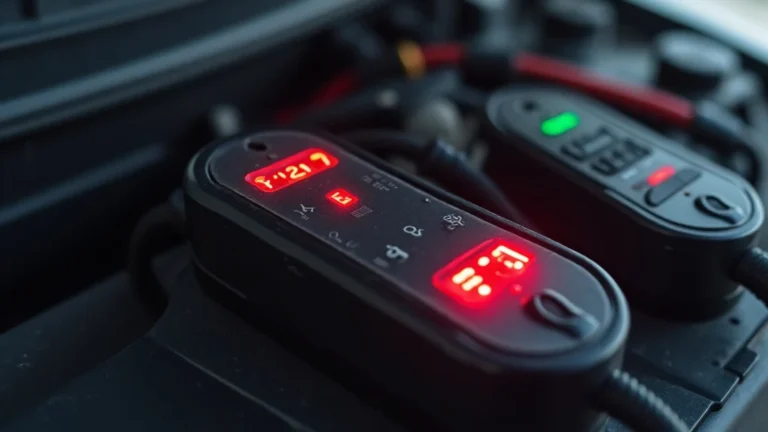
Before we can decide if you need one, let’s understand what a memory saver is. Think of it as a temporary power supply designed to keep a trickle of electricity flowing to your car’s sensitive electronic systems while its main battery is disconnected. It’s like putting a car on life support for a few minutes.
The Basic Concept: Keeping the Lights On
When you remove your car’s main battery, the vehicle loses its primary power source. Most electronic modules have a small, continuous draw of power to maintain their “memory” – things like your radio stations, the clock, engine computer settings, and even power window “one-touch” functions. A memory saver plugs into a secondary power port (like the OBD-II diagnostic port or a 12V cigarette lighter socket) and provides just enough voltage to keep these low-power memory functions alive during the battery swap.
Types of Memory Savers You Might Encounter
- OBD-II Port Devices: These are very common. They plug into your car’s On-Board Diagnostics (OBD-II) port, which is usually located under the dashboard on the driver’s side. They often get their power from a small 9-volt battery or an external 12-volt power source (like another car’s battery or a portable jump pack).
- 12V Accessory Socket Devices: Similar to OBD-II types, these plug into your car’s cigarette lighter or 12V accessory socket. They also draw power from an external source or have their own internal battery.
- Direct Clamp Devices: Some memory savers are essentially small battery packs with clamps that connect directly to the car’s positive and negative battery terminals *after* the old battery has been removed, but *before* the new one is connected. This method requires careful handling to avoid short circuits.
What Happens When You Disconnect Your Car Battery?
This is the core of our discussion. When you perform a battery change without a memory saver, your car experiences a brief “power outage.” For some systems, this is a non-issue; for others, it means a reset.
The Immediate, Obvious Losses
These are the things you’ll almost certainly notice right away:
- Radio Presets: Your favorite stations will be gone, and you’ll need to reprogram them.
- Clock: It will reset to 12:00 or a default time, requiring you to set it again.
- Trip Computer Readings: Mileage, average fuel economy, and other trip data often reset.
- Seat/Mirror Memory: If your car has memory functions for seats, mirrors, or steering wheel positions, these might be lost.
The Not-So-Obvious “Learning” Processes
This is where things get a bit more technical but are usually nothing to fret over:
- Engine Control Unit (ECU/ECM) Reset: Your car’s main computer (ECU or ECM) constantly “learns” your driving habits and adjusts things like idle speed, fuel-air mixture, and transmission shift points for optimal performance. When the battery is disconnected, these “adaptive settings” are reset. The good news is the ECU will quickly relearn them over the next few driving cycles, often within 50-100 miles. You might notice slightly rougher idle or different shifting for a short period, but it’s rarely a problem.
- Power Window Auto-Up/Down: Many cars with one-touch power windows require a quick “relearning” procedure after a battery change. This usually involves holding the window switch down until the window is fully open, then holding it up until it’s fully closed, sometimes for a few extra seconds. Consult your owner’s manual for specific steps.
- Electronic Stability Control (ESC) / Traction Control: Some vehicles may momentarily show a warning light for these systems after a battery change until you drive a short distance and the system calibrates itself.
Safety Features: Anti-Theft Radio Codes
Older or certain premium radios may have an anti-theft feature that requires you to enter a specific code after a power disconnect. If you don’t have this code, your radio could be unusable. This is one instance where a memory saver can prevent a significant headache. Always check your owner’s manual or look for a sticker in the glove compartment or on the radio itself for this code.
The True “Necessity”: When Do You Really Need One?
The “truth” about memory savers is that for most older or less complex vehicles, they are more of a convenience than a necessity. The minor annoyances of resetting a clock and radio are easily managed. However, their usefulness increases with vehicle complexity.
Modern, High-Tech Vehicles
Newer cars, especially luxury models or those with advanced driver-assistance systems (ADAS), have a greater number of modules that store settings. While most will eventually relearn, some might take longer or require specific driving conditions to fully recalibrate. In these cases, a memory saver can prevent potential minor glitches or a slightly extended “break-in” period for the vehicle’s computer systems.
Specific Vehicle Models and Manufacturers
Some car manufacturers design their vehicles to be more sensitive to power interruptions than others. While rare, there are anecdotal reports of certain vehicles developing intermittent issues or requiring dealer intervention after a battery change without a memory saver. It’s always a good idea to check your specific car’s owner’s manual or a reputable online forum for your model to see if others have experienced issues.
Convenience vs. Critical Function
Ask yourself: Is losing my radio presets a critical issue, or merely an inconvenience? For many, it’s the latter. If you’re a busy parent juggling kids and schedules, not having to reset everything might be worth the small investment in a memory saver. If you’re comfortable with a few minutes of post-battery-change configuration, you might not need one.
The Downsides and Risks of Using a Memory Saver
While memory savers offer convenience, they aren’t without their considerations.
Potential for Short Circuits
Improper use, especially with direct-clamp memory savers, carries a risk of accidental short circuits. Connecting clamps incorrectly or allowing them to touch metal parts of the car can cause sparks, damage to the vehicle’s electrical system, or even personal injury. Always follow the instructions carefully.
Drain on Auxiliary Battery
If your memory saver draws power from an external 12-volt battery (like a jump pack or another car’s battery), make sure that source is fully charged. An insufficient power supply from the memory saver can defeat its purpose and still lead to loss of settings or even damage if the voltage drops too low during the swap.
Cost and Availability
A decent memory saver can cost anywhere from $20 to $100. For a tool you might use once every few years, this might seem like an unnecessary expense, especially if your car doesn’t strictly need it. Basic options are widely available online and at auto parts stores.
Alternatives to a Memory Saver (and What to Expect)
If you decide against using a memory saver, you’re in good company. Many people successfully change their batteries without one. Here’s what you can expect and some alternative strategies.
The “Live” Battery Swap: Using a Jump Starter or Another Car
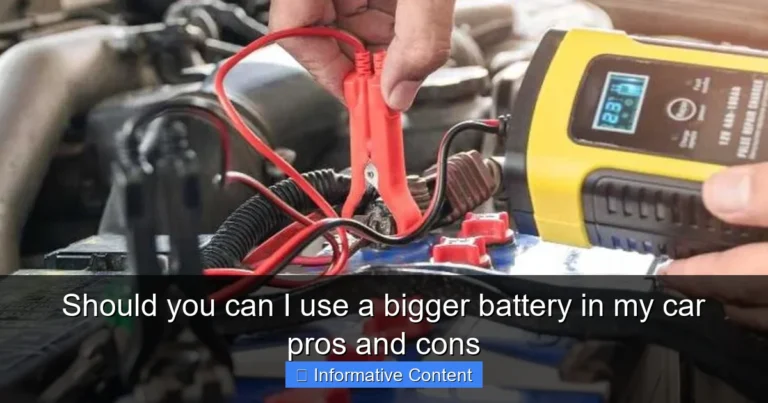
One common “DIY memory saver” involves using a jump starter or another car to provide temporary power. You’d connect the jump starter/other car’s battery to your vehicle’s positive and negative terminals (or designated jump points) *before* disconnecting your old battery, ensuring a continuous power flow. This method can be effective but requires careful attention to connections and polarity to avoid damaging your vehicle or the auxiliary power source.
Simply Disconnecting and Reconnecting
This is the most common method. You simply disconnect the old battery, remove it, install the new one, and reconnect. Expect to reset your clock and radio presets. As mentioned, the ECU will relearn, and you might need to perform simple procedures for power windows or other minor systems. This is often the simplest and safest approach for most vehicles.
Post-Battery Change Procedures
Be prepared for a few quick tasks:
- Resetting the Clock and Radio: A few button presses usually take care of this.
- Power Window Relearn: Hold the switch up/down for a few seconds.
- Idle Relearn: After connecting the new battery, start the car and let it idle for 5-10 minutes without touching the accelerator. Then take it for a short drive, including some highway speeds if possible, to allow the ECU to relearn adaptive settings.
- Check Engine Light: If a persistent Check Engine Light appears and doesn’t clear after a short drive, it’s worth checking with an OBD-II scanner. However, this is rare for just a battery swap.
Practical Tips for a Smooth Battery Change (With or Without a Memory Saver)
Regardless of whether you use a memory saver for your battery change, safety and proper procedure are paramount.
Safety First, Always!
- Eye Protection: Always wear safety glasses or goggles.
- Gloves: Battery acid is corrosive. Wear gloves to protect your hands.
- Ventilation: Work in a well-ventilated area.
- No Sparks: Avoid creating sparks near the battery, as it can emit flammable hydrogen gas.
Gather Your Tools
You’ll typically need a wrench or socket set (usually 10mm or 13mm), a battery terminal brush, and possibly a battery terminal puller. Have a clean rag handy.
The Disconnection/Reconnection Order
This is critical to prevent short circuits:
- Disconnection: Always disconnect the negative (-) terminal first, then the positive (+) terminal.
- Reconnection: Always connect the positive (+) terminal first, then the negative (-) terminal.
This order minimizes the risk of accidentally creating a short circuit if your wrench touches the car’s frame while loosening/tightening the positive terminal.
Post-Change Checklist
After installing the new battery, ensure all terminals are clean and tight. Apply anti-corrosion spray or grease if desired. Then perform any necessary relearning procedures for your specific vehicle as mentioned above.
The Impact of Disconnecting Your Battery
Here’s a quick look at common features and how they’re typically affected by a battery change, with and without a memory saver:
| Feature/System | Without Memory Saver (Typical Impact) | With Memory Saver (Typical Impact) |
|---|---|---|
| Radio Presets | Lost, needs reprogramming | Retained |
| Clock | Resets to 12:00, needs resetting | Retained |
| ECU/ECM Learnings (idle, shift points) | Resets, will relearn over driving cycles | Retained (usually) |
| Power Window Auto-Up/Down | May need relearning (simple procedure) | Retained |
| Anti-Theft Radio Code | May require re-entry (if applicable) | Retained |
| Seat/Mirror Memory | May be lost, needs resetting | Retained |
| Trip Computer Data | Resets | Retained |
Conclusion
So, do you need a memory saver for a battery change? The truth is, for most vehicles, especially older ones, a memory saver is a tool for convenience rather than an absolute necessity. The primary “problems” you’ll face without one are minor annoyances like resetting your clock and radio presets, along with a brief relearning period for your engine’s computer that usually resolves itself quickly as you drive.
However, for owners of very modern, high-tech, or luxury vehicles with complex electronic systems, a memory saver can certainly reduce potential headaches and ensure a smoother transition. If your car requires an anti-theft radio code, a memory saver could save you a significant hassle.
Ultimately, the decision rests on your comfort level with resetting a few settings and your car’s specific requirements. Always prioritize safety during a battery change, and if you’re unsure, consult your vehicle’s owner’s manual or a trusted mechanic. For many, simply embracing the few minutes of post-battery-change setup is a perfectly fine and common approach.
Frequently Asked Questions
Do I really need a memory saver when changing my car battery?
For many modern vehicles, a memory saver is highly recommended to prevent the loss of critical electronic settings. While some older cars might not strictly require it, newer cars rely on continuous power to retain engine parameters, radio presets, and various comfort features.
What exactly does a memory saver do during a battery change?
A memory saver provides a temporary, low-voltage power supply to your car’s electrical system while the main battery is disconnected. This continuous power flow ensures that the vehicle’s onboard computers, such as the Engine Control Unit (ECU) and infotainment system, retain their learned settings and stored data.
What are the consequences if I don’t use a memory saver for a battery change?
If power is completely cut during a battery swap, you might lose radio presets, clock settings, and trip computer data. More significantly, the vehicle’s engine idle settings and automatic window up/down features may need to be re-learned or reset, potentially leading to rough idling or functional issues.
Which car systems are most affected by losing power during a battery swap?
Key systems include the Engine Control Unit (ECU), which stores vital engine parameters and emission settings, and the transmission control module. Additionally, infotainment systems, electric power steering, power windows, and even security systems can be impacted, requiring manual resets or re-initialization.
Can I safely change my car battery without a memory saver tool?
Yes, in many cases, you can change your battery without a memory saver, especially on older vehicles. However, be prepared for potential inconveniences like resetting the clock, radio, and power windows, and possibly needing a drive cycle for the engine’s computer to relearn optimal settings.
Are there any simple alternatives to a dedicated memory saver?
A common DIY alternative involves using a separate 9-volt battery connected via the OBD-II port (with a special adapter) or carefully connecting another car’s battery to your vehicle’s terminals using jumper cables (without polarity reversal). Always ensure proper connections and safety precautions to avoid damage.