Do Jump Starters Charge Phones? A Beginner’s Guide
A common question for anyone who owns a jump starter is, do jump starters charge phones? It’s easy to wonder if your jump starter can do more than just start your car. This can seem tricky at first, especially if you’re new to car gadgets. Don’t worry, the process is pretty straightforward! We’ll explore exactly what you need to know, making it simple to keep your phone powered up on the go. Let’s get started!
What Jump Starters Are and Their Main Functions
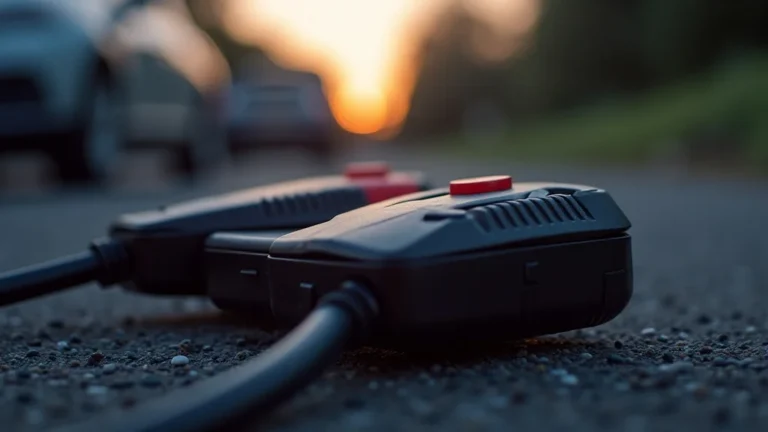
Jump starters are portable power sources designed primarily to start vehicles with dead batteries. They’re like a backup battery for your car, providing a surge of power when your car battery can’t. Jump starters come in various sizes and with different features, but their core function remains the same: to get your engine running again. They’re a convenient tool for emergencies, eliminating the need to wait for a jump start from another car. Jump starters have evolved beyond just starting cars, often including features like USB ports and LED lights.
How Jump Starters Work to Power Vehicles
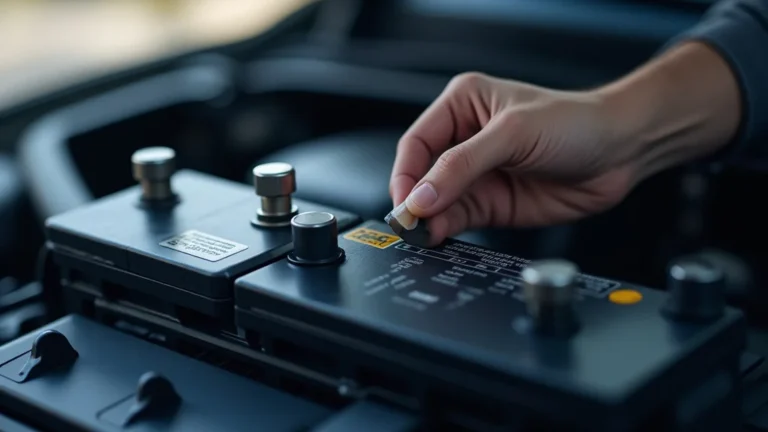
The main job of a jump starter is to send a large current of electricity to a car’s battery to kickstart the engine. Car batteries store energy in a chemical form, but when they run down, they can’t provide enough power to turn the engine over. Jump starters store energy in lithium-ion batteries or sometimes lead-acid batteries. When connected correctly to a vehicle’s battery terminals, the jump starter’s stored energy flows into the car battery, giving it the boost it needs to function. This allows the car’s starter motor to crank the engine, allowing it to start. The process is simple, but it’s critical to connect the jump starter to the correct terminals to avoid damage.
- Charging Mechanism: Jump starters are designed to deliver a high current in a short burst. This is different from the continuous low-current flow that a phone charger provides. When you connect a jump starter to a car’s battery, you’re not actually charging the car’s battery directly; you are supplying it with enough power to start the engine.
- Internal Components: Inside, jump starters have several key components. A battery stores the power, a circuit protects the device from overcharging and short circuits, and cables with clamps connect to the vehicle’s battery. Newer models also often contain a USB port or other charging options.
- Safety Features: Most jump starters have built-in safety features like reverse polarity protection (to prevent damage if you connect the clamps the wrong way) and overcharge protection (to prevent the jump starter from being damaged by excessive charging).
- Power Delivery: The power a jump starter delivers is measured in amps, which is a unit that indicates the rate of electrical flow. Higher amperage jump starters are usually better because they can start more powerful engines and do so more effectively.
Jump Starter Battery Types and Their Capabilities
Jump starters use various battery types, each with advantages and disadvantages. The most common types are lithium-ion and lead-acid batteries. The type of battery affects the size, weight, power output, and overall performance of the jump starter. Understanding these differences helps in selecting the right jump starter for your needs. The choice of battery also impacts how long the jump starter can hold a charge and how many times it can be used before needing a recharge.
- Lithium-Ion Batteries: These are lightweight, compact, and deliver a high power output. They can hold a charge for longer than lead-acid batteries, and they recharge fairly quickly. Lithium-ion jump starters are popular because they are easy to carry and provide reliable performance.
- Lead-Acid Batteries: Lead-acid batteries are often more affordable, but they are heavier and bulkier than lithium-ion ones. They tend to lose their charge faster when not in use. While effective, they may not offer the convenience or longevity of lithium-ion versions.
- Battery Capacity: Battery capacity, usually measured in milliamp hours (mAh) or amp-hours (Ah), tells you how much power a jump starter can store. A larger capacity means more jump starts or more power available for charging other devices, such as your phone.
- Lifespan: The lifespan of a jump starter’s battery depends on its type, usage, and care. Lithium-ion batteries typically last longer than lead-acid ones. Properly storing and maintaining a jump starter can extend its lifespan.
Does a Jump Starter Charge Phones? The Details
The answer to the question “do jump starters charge phones?” is generally yes, but it is not the main function of the device. Many modern jump starters have USB ports that allow you to charge phones, tablets, and other devices. However, the charging capabilities can vary based on the specific model. While it’s possible, understanding the specifics is important. Jump starters are designed to deliver a burst of power, not a continuous charge like a wall adapter. They offer a useful feature but aren’t meant to replace your usual charging methods.
USB Ports and Their Charging Capacity
The USB ports found on jump starters come in various types and have different power outputs. These ports are usually designed to charge phones and other small electronic devices. The output of these ports is measured in volts (V) and amps (A), which determines the charging speed. Some jump starters include USB-A and USB-C ports, offering more options for different devices. Having the correct type of port and knowing the output helps you get the most out of your jump starter’s charging features.
- USB-A Ports: These are the standard USB ports found on many devices. They usually provide 5V and 1A or 2.1A of power, which is sufficient for charging most phones and tablets. Some older models might have slower charging speeds.
- USB-C Ports: USB-C ports are becoming more common because they support faster charging speeds. They can deliver more power, often supporting features like Power Delivery (PD). This means they can charge devices more quickly. USB-C ports are backward compatible.
- Charging Speed: The charging speed depends on the USB port’s power output and your device’s charging capabilities. A higher amp output will charge your phone faster. Check the specifications of your jump starter and your phone to find out the maximum charging speeds.
- Power Delivery (PD): Some USB-C ports support Power Delivery, which allows for even faster charging. PD can provide significantly more power, making it great for charging larger devices such as tablets or even some laptops.
Factors Affecting Phone Charging with a Jump Starter
Several factors affect how well a jump starter charges a phone. These include the jump starter’s capacity, the USB port’s output, and your phone’s charging requirements. The efficiency of the jump starter’s internal components can also play a role, impacting the amount of power that reaches your phone. Knowing these factors will help you get the most out of your jump starter’s charging capabilities. Also, remember that a jump starter’s main job is to start a car, so charging a phone is a bonus function, not its primary purpose.
- Jump Starter Capacity: A jump starter with a larger battery capacity will be able to charge your phone multiple times. This is because the jump starter needs enough power to both start a car and charge external devices.
- USB Port Output: The higher the USB port’s output, the faster your phone will charge. Always check the port specifications to make sure it matches your phone’s requirements.
- Phone Compatibility: Ensure the USB port is compatible with your phone’s charging port (e.g., USB-C or Micro-USB). Some phones also have specific charging requirements, such as support for Power Delivery.
- Charging Efficiency: Not all of the energy from the jump starter goes directly to your phone. Some energy is lost due to heat and other factors. A high-quality jump starter will be more efficient.
- Ambient Temperature: Extreme temperatures (too hot or too cold) can affect how well a jump starter and your phone charge. Keep your jump starter and phone at a moderate temperature for best results.
How to Charge a Phone Using a Jump Starter
Charging your phone with a jump starter is typically straightforward. You’ll simply plug your phone’s charging cable into the jump starter’s USB port. But there are a few important steps to make sure everything works correctly and to keep both your phone and the jump starter safe. Knowing how to do it correctly ensures you can quickly get your phone charged in an emergency or when you’re traveling. Following these steps helps you charge your phone safely and correctly.
Step-by-Step Charging Instructions
Follow these easy steps to safely charge your phone with a jump starter. Remember to check your jump starter’s manual for specific instructions, as different models may have slightly different procedures. It’s also important to make sure your phone’s charging cable and USB port are in good condition. Taking these steps makes sure that your phone is powered and you won’t harm the equipment. Practicing the following instructions will allow you to charge your phone in a snap.
- Locate the USB Port: Find the USB port on your jump starter. It is typically marked with a USB symbol or labeled.
- Connect the Charging Cable: Plug your phone’s charging cable (e.g., USB-C, Micro-USB, or Lightning) into the USB port on the jump starter.
- Connect to Your Phone: Plug the other end of the cable into your phone.
- Check the Connection: Watch for an indicator on your phone to show that it is charging. You should see a charging symbol.
- Monitor the Charging: Keep an eye on the charging status of your phone. If it doesn’t appear to be charging, check the connections and the jump starter’s power level.
Safety Precautions During Charging
Always take safety steps when using a jump starter to charge your phone. These precautions help protect your devices and prevent potential damage. It’s a good idea to supervise the charging process, especially if you are not familiar with the jump starter you’re using. Keeping a close eye on the jump starter will give you confidence.
- Check the Voltage: Before plugging in your phone, make sure the USB port’s voltage matches your phone’s charging requirements.
- Avoid Overcharging: Do not leave your phone charging for extended periods if you are not actively monitoring it. Disconnect it once it is fully charged.
- Use the Correct Cable: Always use the charging cable that came with your phone or a compatible cable. This helps ensure safe and efficient charging.
- Avoid Extreme Temperatures: Do not use the jump starter or charge your phone in extreme temperatures (very hot or very cold).
- Inspect for Damage: If you notice any damage to the jump starter, charging cable, or your phone, stop using them immediately.
Comparing Jump Starters and Traditional Phone Chargers
Jump starters and traditional phone chargers serve different purposes and have distinct advantages and disadvantages. Regular phone chargers are designed to provide a steady, consistent power flow, while jump starters offer a portable power source that’s primarily used to start a car. This section shows how the two types of devices differ in terms of power output, portability, and usage. Knowing these differences helps you pick the correct tool for the job. You can make an informed decision by understanding the roles of each device.
Power Output and Charging Speed
The power output and charging speed differ greatly between jump starters and standard phone chargers. A regular wall charger offers a controlled and consistent charge, designed to protect your phone’s battery. Jump starters, while offering charging features, aren’t designed to be constant charging devices. Understanding these differences helps to optimize your charging strategies, especially when you need a quick top-up.
| Feature | Jump Starter | Wall Charger |
|---|---|---|
| Primary Function | Starts vehicles; charges phones (as a secondary function) | Charges phones |
| Power Source | Internal battery | AC power from a wall outlet |
| Charging Speed | Can vary; may offer faster charging via USB-C | Typically consistent; can vary depending on charger |
| Portability | Highly portable | Requires access to an AC outlet |
Portability and Convenience
Portability and convenience also vary. A wall charger is only useful when you’re near an outlet. A jump starter provides portable power, allowing you to charge your phone anywhere. This makes it a great choice for emergencies, traveling, or situations when outlets aren’t available. The portability of each device is a key factor when you choose your charging method.
- Wall Chargers: Depend on a power outlet, limiting use to locations with electricity access. They are light and easy to carry.
- Jump Starters: Portable, allowing charging anywhere. They are heavier and bulkier than wall chargers.
- Convenience: Wall chargers are convenient at home or in the office. Jump starters are best for on-the-go charging and emergencies.
- Usage Scenarios: Wall chargers are perfect for daily charging. Jump starters are great for traveling, camping, or when you are away from standard power sources.
Frequently Asked Questions
Question: Can I use a jump starter to charge my phone every day?
Answer: While you can use a jump starter to charge your phone, it’s not the best solution for daily use. Jump starters are designed for emergencies, and using them regularly to charge your phone can drain their battery. It is better to use a regular wall charger for daily charging.
Question: How many times can I charge my phone with a jump starter?
Answer: The number of times you can charge your phone depends on the jump starter’s battery capacity. A jump starter with a higher capacity can charge your phone more times. The phone’s battery size also matters. Most jump starters can charge a phone at least once.
Question: Can I damage my phone by charging it with a jump starter?
Answer: If you follow the safety precautions, such as checking the voltage of the USB port, you should not damage your phone. Using the correct cable and not overcharging your phone will also help keep it safe. Always use the right equipment and procedures.
Question: What do I do if my phone isn’t charging with the jump starter?
Answer: First, check the connections between the phone and jump starter. Make sure the charging cable is correctly plugged into both devices. Also, ensure the jump starter has power. Try a different USB port or charging cable to eliminate any problems.
Question: Is it safe to leave my phone plugged into the jump starter overnight?
Answer: It’s best to unplug your phone once it is fully charged to avoid any issues. However, most modern jump starters have built-in safety features, such as overcharge protection, that help prevent damage to your phone. Check the jump starter’s manual to find out about its safety features.
Final Thoughts
So, do jump starters charge phones? Yes, they often do! While jump starters are mainly for helping to start vehicles with dead batteries, many include convenient USB ports designed for charging your phone. These ports are helpful, especially when you are away from a regular power outlet. Remember that the charging speed may vary based on the jump starter’s features and your phone’s requirements. To get the best results, use the correct cable, follow the steps, and remember the safety tips. If you find yourself in a situation where your car won’t start and your phone needs a boost, a jump starter can save the day. Keep your jump starter charged and in good condition, and always carry a charging cable. Be ready for anything by being prepared!