Car Battery Charger Clicking Troubleshooting Guide
Dealing with a car battery charger clicking sound can be frustrating, especially if you’re new to car maintenance. This noise often signals a problem, but don’t worry! It’s usually something you can fix. We’ll explore the common reasons why a charger clicks and break down the steps to identify the issue and get your battery charging again. Let’s get started and have you back on the road!
What Causes a Car Battery Charger to Click?
The sound of a car battery charger clicking can be unsettling. It indicates the charger is attempting to deliver power but is facing resistance or detecting a fault. Several issues can trigger this clicking, ranging from simple connection problems to more serious internal battery failures. Sometimes, the charger’s safety features are kicking in to protect both itself and your car’s electrical system. This means it’s working as designed, but it’s still frustrating when you need a charged battery.
Common Issues and Their Causes
Several factors might be causing your charger to click instead of charge. Let’s look at the usual suspects. A firm grasp of these causes will help you diagnose the specific issue.
-
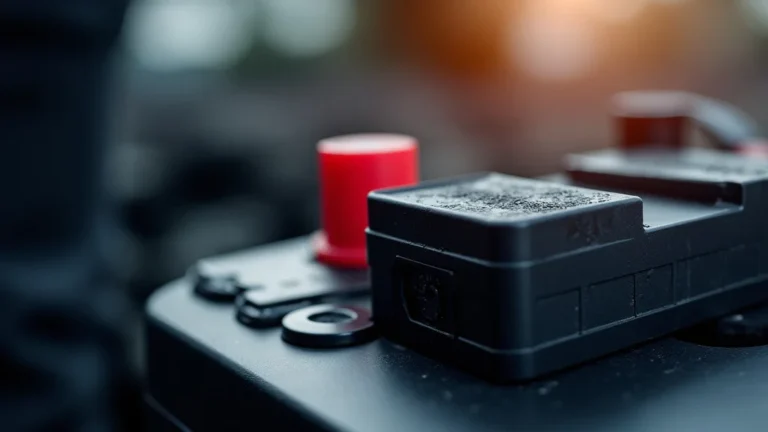
Poor Connections: Loose or corroded connections are a frequent culprit. These can prevent the charger from effectively transferring power to the battery. Corrosion builds up on the terminals, acting as an insulator and blocking the flow of electricity. Loose connections, on the other hand, can cause intermittent power breaks, triggering the clicking sound. This is very common, so it’s a good place to start your troubleshooting.
To fix this, ensure the charger clamps are securely attached to the battery terminals. Clean any corrosion with a wire brush or baking soda solution. A good connection is essential for the charger to work. Remember to disconnect the charger from the power source before cleaning the terminals! -
Battery Sulfation: Battery sulfation occurs when sulfate crystals build up on the battery plates. This build-up makes it difficult for the battery to accept and store a charge. This often happens if a battery is left discharged for an extended period. Over time, these crystals reduce the battery’s ability to hold a charge. This issue is more prevalent in older batteries or those subject to infrequent use.
Although battery sulfation is sometimes reversible, it often means the battery is nearing the end of its life. Specialized chargers with desulfation modes can sometimes help to break down the crystals, but they are not always effective. Consider replacing the battery if it is badly sulfated or doesn’t improve after attempting desulfation. -
Overload or Short Circuit Protection: Many car battery chargers include safety mechanisms to protect from overloads or short circuits. When a charger detects a significant issue, it may click as it tries to start the charge. This feature is there to keep the charger and your car safe from damage. This is a sign that there’s a problem, and the charger is preventing a potential fire.
If the charger constantly clicks, there may be a short in your car’s electrical system, a problem within the charger itself, or the battery could have internal damage. In this case, it’s best to check your car’s fuses or take the car to a mechanic for a complete assessment of the electrical system. -
Battery Condition: An old or damaged battery might be unable to receive a charge. Internal damage, such as a shorted cell, can prevent the charger from working properly. This often shows as the charger rapidly clicking on and off. The charger will recognize the battery can’t hold a charge and shuts itself down.
Test the battery using a multimeter to see if it holds a charge. The voltage should be at least 12.6 volts for a fully charged battery. If the voltage is too low or rapidly drops during the test, it may indicate a bad battery. If the battery is several years old, it’s a good idea to think about replacing it.
How to Troubleshoot a Clicking Charger
Pinpointing the exact cause of a clicking charger requires a systematic approach. By carefully checking each potential issue, you can improve your chances of identifying the problem. Let’s get you started. Begin with the easy fixes and work your way through more complex tests. Safety first – always disconnect the charger from the electrical outlet before making any adjustments.
Step-by-Step Troubleshooting Guide
Follow these steps to diagnose and solve the clicking issue. Each step builds on the last, helping you narrow down the problem.
-
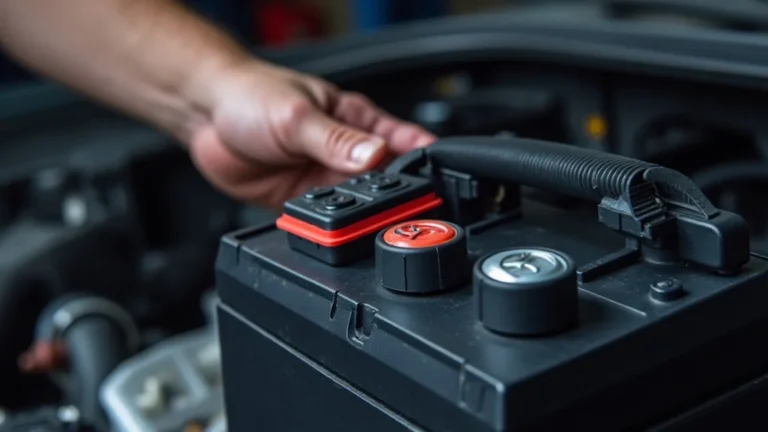
Check the Connections: Examine both the charger clamps and the battery terminals for cleanliness and proper connections. Make sure the clamps are making good contact. A poor connection is the most common reason for a charger to click.
Unplug the charger from the wall outlet and detach the clamps from the battery. Use a wire brush or a solution of baking soda and water to clear any corrosion. Securely reattach the clamps, ensuring they are tightly connected to the terminals. The clamps should be firmly attached. -
Inspect the Battery Terminals: Corrosion often forms on battery terminals. This can stop electricity from flowing and make the charger click. Corroded terminals will be green or white. A clean connection ensures the charger can provide power.
Carefully inspect the terminals for corrosion. Remove the terminals from the battery and use a wire brush or a dedicated terminal cleaner to remove any build-up. Once cleaned, reattach the terminals firmly. -
Verify the Battery Voltage: Use a multimeter to test the battery’s voltage. This tool will tell you if the battery is capable of holding a charge. A low voltage can cause the charger to click.
Set your multimeter to measure DC voltage, and touch the red probe to the positive (+) terminal and the black probe to the negative (-) terminal. A fully charged battery should read approximately 12.6 volts. Anything significantly lower suggests a problem, possibly indicating the battery is deeply discharged or damaged. -
Test with a Known Good Battery: If possible, try charging a different battery that you know is working. This helps you determine if the issue is with the charger or the car’s battery. If the charger works on a known good battery, the problem lies with your car’s battery.
Connect the charger to a different battery that you know works. Observe whether the charger charges the battery without clicking. If it does, the problem is most likely with your original battery. If the charger still clicks, the problem could be with the charger itself. -
Check the Charger’s Fuse: Some chargers have an internal fuse. If this fuse is blown, the charger won’t work and might click. Replacing the fuse is a quick fix.
Locate the charger’s fuse, which is usually located near the power cord. Check the fuse for any signs of breakage.
Understanding Car Battery Charger Safety Features
Car battery chargers come equipped with several safety features to protect you, your car, and the charger itself. These features are designed to prevent damage from overcharging, short circuits, and reverse polarity. Knowing how these features work can help you understand why your charger might click. It can also help you use the charger safely and effectively.
Common Safety Mechanisms
Chargers include multiple protection systems. These are important for safe operation. Let’s look at some important ones.
-
Overload Protection: This feature prevents the charger from drawing too much current, which could damage the charger or the car’s electrical system. If the charger detects excessive current draw, it will typically shut down or click on and off to prevent damage. This is a common response when the battery is severely depleted or has internal issues.
When an overload situation is detected, the charger will often stop working. This can often be triggered if there is a short circuit somewhere in the battery or connected circuits. Overload protection is essential to prevent fires and component damage. Modern chargers use smart algorithms to monitor current flow and prevent an overload from happening. -
Short Circuit Protection: This protection instantly stops the charger from providing power if a short circuit is detected. A short circuit happens when there is an unintended path for the current to flow, bypassing the intended circuits. This could be due to exposed wires touching or a problem within the battery.
This feature prevents sparks or even fires. The charger will usually stop working, and you may hear a clicking sound. A short circuit can damage the battery or other electrical components. Short circuit protection is a vital part of charger design and helps ensure safe operation. -
Reverse Polarity Protection: This safety feature prevents the charger from working if the clamps are connected to the wrong terminals. Connecting the positive and negative terminals in reverse can cause sparks, damage the charger, and potentially harm the battery.
If the charger has reverse polarity protection, it will not deliver power if the connections are reversed. This stops the flow of current. Most chargers will simply not turn on or will display an error message. The charger is designed to protect itself and the battery from damage.
Advanced Diagnostics and Potential Solutions
If the simple steps don’t solve the problem, you may need a deeper look. These steps may require more advanced equipment or experience. These strategies can help identify more complex issues.
Exploring Deeper Troubleshooting Options
When the basic checks do not work, more advanced methods might be needed. These solutions help identify and address intricate problems.
-
Battery Load Test: A load test measures the battery’s ability to supply current under load. This helps to determine if the battery can provide the power needed to start the car. A failing battery will often show a significant drop in voltage when tested.
A load test can be performed using a special battery tester. The tester simulates the load of starting the car and measures the battery’s voltage response. A rapid voltage drop under load indicates a weak or failing battery. If the battery fails the load test, replacement is usually necessary. -
Professional Diagnostics: If you’re unsure about any of the tests, or if the clicking persists, it’s best to have a professional examine the charger and the car’s battery. A mechanic can diagnose the issue more accurately. They can also perform tests that require specific equipment or skills.
A mechanic has the expertise to determine whether the problem is with the charger, the car’s electrical system, or the battery itself. They can identify complex issues such as internal shorts, damaged cells, or issues with the charging system. -
Battery Replacement: If the battery is old or consistently fails tests, it’s time to replace it. A new battery will resolve the clicking and ensure reliable starting power. This is often the solution if the charger keeps clicking even after performing other tests.
When replacing the battery, make sure to choose the correct type and size for your vehicle. Proper installation is critical to ensure optimal performance and safety. Disconnect the old battery correctly, and properly attach the new one, making sure the terminals are securely connected.
Frequently Asked Questions
Question: Why is my new car battery charger clicking?
Answer: Even a new charger can click if there’s a problem with the battery, the connections, or your car’s electrical system. Check the connections and your battery’s voltage first. The charger may be triggering its safety features because of an issue with the battery or a short circuit in your car.
Question: Can a clicking charger damage my car battery?
Answer: A clicking charger, by itself, shouldn’t damage a battery. However, the underlying cause of the clicking, such as a short circuit or a severely damaged battery, could potentially cause problems. Always address the clicking sound to prevent further issues.
Question: What does it mean if my charger clicks rapidly?
Answer: Rapid clicking often means the charger is trying to start but can’t. This can be caused by a dead battery, a damaged battery, or an issue with the charger’s ability to recognize the battery’s condition. Inspect your connections and check the battery voltage.
Question: Should I be worried if my car battery charger clicks?
Answer: Yes, you should pay attention to a clicking charger. It means there’s a problem that needs fixing. By figuring out the cause, you can prevent more serious problems with your car’s electrical system. It’s a signal to investigate, not to ignore.
Question: How can I tell if my car battery is bad?
Answer: A bad car battery might have trouble starting your car, show a low voltage on a multimeter (below 12.6V), or have visible corrosion. Also, a battery that quickly loses its charge or that causes the charger to click is often a sign it’s time for a replacement.
Final Thoughts
The sound of a car battery charger clicking doesn’t have to be a mystery. While it can be a sign of trouble, by following the steps outlined, you can usually figure out the reason. Start by inspecting connections, testing the voltage, and eliminating any potential issues. Most problems are easily fixable, such as cleaning corroded terminals or replacing a blown fuse. Remember that safety comes first, so always disconnect the charger from the outlet before doing any work. Addressing the clicking promptly will prevent further problems with your car’s electrical system. This knowledge can give you more confidence in maintaining your vehicle and keeping it running smoothly.