Battery Charger Voltage Too High Troubleshoots and Fixes
If you’re finding that your battery charger voltage too high, don’t worry! It’s a common problem, especially if you’re new to electronics or working with batteries. It can seem confusing, but it’s often caused by simple things. This guide will walk you through, step by step, how to figure out what’s going on and what you can do to fix it. We’ll start with the basics, then get into the how-to stuff. Ready to get started?
What Causes Battery Charger Voltage Too High?
One of the first things people ask is, “Why is my charger overcharging?” Well, several factors can lead to that problem. It’s often related to the charger itself, the battery, or even the way you’re using them. Identifying the root cause is the first step in resolving the issue. This section will explore the common reasons behind this problem.
Faulty Charger Design and Construction
The charger’s design and manufacturing are important. A charger that isn’t made well or has components that fail can easily send too much voltage to the battery. Think about the components inside the charger – resistors, capacitors, and diodes. These parts control how much electricity flows to your battery. If any of these parts are not working correctly, the charger might give off more voltage than it should. This can happen due to poor quality control during production or wear and tear over time. Always consider the build quality of your charger when troubleshooting.
- Component Failure: Inside a battery charger, many small parts work together. Resistors control the current, capacitors store energy, and diodes direct the flow. If any of these fail, like a resistor that burns out or a capacitor that breaks down, the charger might start sending more voltage than it is supposed to, potentially damaging your battery.
- Voltage Regulation Issues: Battery chargers must regulate the voltage they provide. This means keeping the output voltage at the correct level, regardless of the input voltage. If the charger’s voltage regulation circuit is faulty, it won’t be able to do this, leading to too much voltage.
- Temperature Sensitivity: Some chargers have components that react to temperature changes. Extreme temperatures can affect how these components perform, leading to voltage fluctuations. Hot or cold conditions can trick the charger into overcharging or undercharging, depending on how sensitive the charger’s circuits are.
- Wear and Tear: Over time, the internal components of a charger can wear out. Think about it like a car engine; constant use leads to gradual breakdown. For chargers, this wear and tear may result in the charger providing a higher voltage output. This is a common factor in older chargers.
Battery Type Incompatibility
Not all batteries are created equal, and the charger you use must match the battery type. Mixing them up is a common error. This section covers various battery types and why using the wrong charger is bad news. Using the right charger is critical. Different battery chemistries (like lithium-ion, lead-acid, or nickel-metal hydride) have different voltage requirements and charging characteristics. If you use a charger made for one type of battery on a different type, the charger will likely supply the wrong voltage, potentially damaging the battery or even causing a safety issue.
- Lithium-ion Batteries: These batteries are popular in phones, laptops, and power tools. They require careful charging, usually at a specific voltage (such as 4.2 volts per cell). An over-voltage situation can cause these batteries to overheat or even catch fire.
- Lead-Acid Batteries: Commonly found in cars and other vehicles, these batteries need a different charging strategy. Overcharging can cause the electrolyte to boil, leading to damage. Lead-acid chargers typically have different charging modes, such as “float” or “bulk,” which impact voltage output.
- Nickel-Metal Hydride (NiMH) Batteries: Used in many rechargeable devices, NiMH batteries are less sensitive than lithium-ion but still need the proper voltage. Incorrect voltage can reduce the battery’s lifespan and effectiveness.
- Charger Compatibility Guide: When purchasing or using a charger, always look at the voltage and current ratings that are appropriate for the battery type. Check the charger’s label or the product information. This helps ensure it matches your battery’s requirements.
Ambient Conditions and Operational Settings
Your charger’s output might be impacted by the environment around it and how you operate it. This section will look at the way environmental elements and the charger’s settings affect voltage. The environment, such as the surrounding temperature, can influence how a charger functions. Extreme temperatures can change the performance of internal components, which can, in turn, alter the output voltage. Also, make sure that the charger’s operational settings are right for your battery. This means verifying that the correct voltage and charging mode have been chosen.
- Temperature Extremes: Hot and cold environments are important. High temperatures may increase the output voltage, while low temperatures could do the opposite. Many chargers have built-in temperature protection, but this may not be sufficient in extreme situations.
- Charging Mode Selection: Many chargers offer different charging modes, such as fast charging or trickle charging. The charging mode impacts the voltage provided. Select the correct mode for your battery type and needs. Choosing the incorrect setting can lead to over-voltage or under-voltage.
- Ventilation and Cooling: Battery chargers can get warm during use. Make sure your charger has enough ventilation, especially during extended charging sessions. Lack of ventilation may cause the charger to overheat, which can affect voltage output.
- Altitude Issues: In high-altitude situations, atmospheric pressure is different, which can influence how well some chargers perform. For many chargers, this won’t be a problem, but it might be worth considering when troubleshooting.
Checking Your Charger and Battery
Before you start fixing things, you’ve got to find out what’s really happening. You need to verify if the charger is over-voltage or the battery is causing issues. The first thing you’ll need is a multimeter. A multimeter is a handy tool that lets you measure voltage, current, and resistance. This section focuses on using a multimeter to test your charger and battery.
Using a Multimeter to Test Charger Output
Testing a charger’s output with a multimeter is an essential step. It helps determine if the charger is providing the correct voltage. This process is generally easy and can save you from damaging your battery. Here’s how you do it. First, select the correct range. Next, put the multimeter’s leads in the correct spots for measuring voltage. Then, plug in the charger and measure the output voltage.
- Set the Multimeter: First, power off the charger and disconnect it from the wall. Then, set your multimeter to DC voltage (DCV). Choose the voltage range on the multimeter that is a little higher than the voltage the charger is supposed to provide. If your charger is rated for 12V, set your multimeter to a 20V or 30V DC range.
- Connect the Leads: Plug the red test lead into the positive (+) port on your multimeter and the black test lead into the common (COM) or negative (-) port. These ports are usually labeled clearly. Make sure your leads are securely attached before taking any measurements.
- Measure the Voltage: Insert the charger’s plug into your device or a matching adapter. Place the red probe on the positive terminal of the charger and the black probe on the negative terminal. Make sure you’re touching the metal parts, not the plastic. Turn on the charger. The multimeter’s display should show the voltage.
- Compare with Specifications: Compare the voltage shown on your multimeter with the voltage listed on your charger. If the measured voltage is higher than the charger’s specifications, there could be a problem. For example, if your charger says it should output 12V, but your multimeter reads 14V, it could be a sign of a fault.
Battery Health and Capacity Checks
Checking your battery’s condition can help find the problem. Is it holding a charge or is it old? Knowing your battery’s condition helps in diagnosing overcharging issues. This part will explain how to check your battery and what you can learn from those checks. The overall health of your battery is significant. A battery that has been used for a long time may be damaged or inefficient. Even if your charger is working correctly, an older battery might show incorrect voltage readings.
- Voltage Readings: Start by using a multimeter to measure the battery’s voltage when it is not in use (resting voltage) and when it is being charged. These readings will give you information about its performance.
- Load Testing: Perform a load test to see how the battery works under stress. A load tester puts a load on the battery to see how its voltage drops. If the voltage drops a lot, the battery might be weak.
- Visual Inspection: Check the battery for any physical damage like swelling, leaks, or cracks. These visual signs could mean the battery is damaged and may have internal issues that affect voltage.
- Capacity Testing: Battery capacity relates to the amount of charge a battery can hold. Battery capacity decreases over time. If your battery isn’t holding enough charge, it could be another sign that your battery is aging and may be the reason for an over-voltage.
Interpreting the Results
After testing, you have numbers and data to consider. You need to understand what those figures mean. This section helps you read the test results and decide what action to take. After you have tested both the charger and the battery, the interpretation of the results is key. Proper interpretation will help you decide the cause of the problem.
If the charger output voltage is too high, it shows that the charger is the main problem. If the voltage is within normal limits, the problem may be in the battery itself. If the battery is old or damaged, it might not be able to handle the correct charging voltage. The next step is to examine the test results closely.
| Test Result | Possible Cause | Action |
|---|---|---|
| Charger Voltage Too High | Charger fault, incorrect settings | Replace or repair the charger. Review charger settings. |
| Battery Voltage Low (Resting) | Battery is discharged or damaged | Charge the battery and then retest. If the issue remains, replace the battery. |
| Battery Swelling or Leaking | Battery damaged, overcharged | Replace the battery immediately. |
Troubleshooting Steps for Battery Charger Voltage Too High
Now that you’ve got your testing data, it’s time to troubleshoot. This means following a step-by-step approach to fix the problem. Here is a guide to find the problem and fix it. Following these steps can help you pinpoint the issue and restore your charger and battery to good working order.
Initial Checks and Visual Inspections
Start with the simplest checks. Take a good look at your charger and battery. Simple checks can reveal obvious issues. Examine the charger for any visible damage like cracks or burnt components. Look for anything that looks out of place. Also, check the battery for leaks, swelling, or corrosion. These visual clues are good places to start when diagnosing an over-voltage problem.
- Physical Damage: Look closely at the charger. Are there any cracks, melted parts, or any signs of burns? A damaged charger can easily output an excessive voltage.
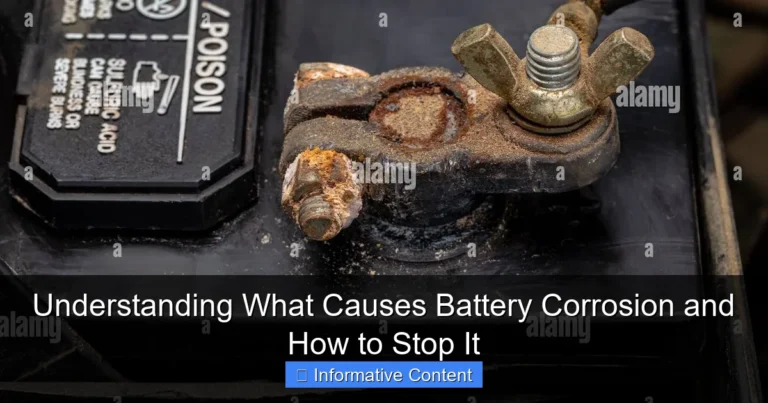
- Connections: Examine the charger’s plug and the battery’s terminals. Are they clean and properly connected? Loose or corroded connections may cause voltage fluctuations.
- Battery Condition: Inspect the battery for any swelling, leaks, or rust. These are signs of damage that might affect the voltage.
- Cable Inspection: Check the cables of your charger. Are they frayed, cracked, or otherwise damaged? Bad cables can result in voltage drops and affect the charging process.
Testing with Different Batteries
Testing with different batteries helps to understand the problem. The goal is to isolate the issue. If the charger overcharges one battery, then the problem is with the charger itself. On the other hand, if the charger functions correctly with another battery, the issue is likely within the initial battery.
- Identify Compatible Batteries: Locate other batteries of the same voltage rating that your charger can support. Make sure these batteries are in good working condition and made for the same device type.
- Charge Other Batteries: Connect the charger to the
- Document Results: Note the voltage readings and the charging behavior. Does the new battery charge correctly without any over-voltage? Keep a record of your measurements.
- Draw Conclusions: If the charger is over-voltage with your original battery but works well with the new one, the problem might be with the original battery. If it continues to over-voltage, the issue is likely with the charger itself.
Charger Replacement and Repair Options
If you have identified the charger as the issue, you will need to replace or fix it. There are several options you can consider. Should you choose to replace the charger, you should choose a compatible one, and you can also seek professional help. The decision to replace or fix your charger depends on its age, cost, and the severity of the damage.
- Purchasing a New Charger: Consider getting a new charger if your current one is damaged. Pick a charger that is compatible with your battery type, voltage, and current rating. Make sure it has safety features like overcharge protection.
- Professional Repair: Take your charger to an electronics repair specialist. Professional repair may be a cost-effective choice if the charger is complex or high-end.
- DIY Repair Caution: You may consider fixing the charger yourself if you have some electronic experience. However, battery chargers deal with high voltages and currents that may be dangerous. Make sure you know what you are doing.
- Safety First: If you decide to
Addressing Specific Scenarios
Troubleshooting is often about looking at the circumstances around the problem. Various things influence whether the battery charger voltage too high situation occurs. This section examines a few specific real-world situations and the actions you might take. Being able to address these unique scenarios can improve your ability to solve the problem.
Charging a Car Battery
Charging a car battery has its own set of problems. Many car battery chargers use a “bulk charge” mode, then transition to “float” or “maintenance” mode once the battery is full. If your charger doesn’t switch modes properly, it might lead to overcharging. Car batteries need careful management. This section explains how to handle car battery charging. It explains what to do if your charger seems to be over-voltage and how to protect your car’s electrical systems.
- Charger Compatibility: Ensure you use a charger built for car batteries. These chargers usually have multiple settings depending on the battery type. Make sure the charger is compatible with your battery’s voltage rating (typically 12V).
- Mode Selection: Check if your charger is set to the correct mode. Most car battery chargers offer various modes like “standard,” “AGM,” or “gel.” Select the proper mode for your car battery type. Choosing the wrong mode can damage the battery.
- Monitoring Voltage: Monitor the battery voltage during charging with a multimeter. A fully charged 12V car battery should read around 12.6V to 12.8V. If the voltage keeps climbing higher, you may have a problem.
- Safety Precautions: Car batteries generate flammable gases during charging. Charge your battery in a well-ventilated area away from sparks or flames. Always disconnect the battery from the vehicle while charging to avoid damage to your car’s electrical systems.
Smartphone and Laptop Charging Issues
Modern devices such as smartphones and laptops use sophisticated charging systems. Over-voltage problems could lead to damaging your devices. This section will look into problems and solutions related to smartphone and laptop charging issues. These devices usually have built-in safety features to regulate charging. However, charger faults or incompatibility may lead to issues.
- Use Original Chargers: Always use the charger that came with your phone or laptop. These chargers are designed to the specific charging requirements of the device. Using a non-original charger can cause over-voltage or under-voltage issues.
- Cable Quality: The charging cable matters, too. Use a high-quality cable, as damaged or low-quality cables can result in voltage drops or fluctuations. This can affect charging efficiency.
- Check the Charging Port: Examine the charging port on your device for dirt or damage. A dirty port may affect the connection, potentially causing charging issues. Also, look for loose connectors.
- Battery Health: Many modern devices show the health of the battery within the settings menu. If your battery is old or damaged, it might not charge correctly. Old batteries may show incorrect voltage readings.
Dealing with Overcharging in Power Tools
Power tools often have complex charging requirements. The issue of over-voltage when charging power tools can cause damage. This part explores how to deal with overcharging in power tools. Power tools often have lithium-ion batteries that require precise charging. Knowing the charger characteristics of your power tools will help you to address this problem.
- Use the Right Charger: Always use the charger supplied with your power tool or a charger that’s made for the tool’s battery type and voltage. Never use a charger for a different tool, as you might get the incorrect charging voltage.
- Monitor the Charging Process: Keep a close eye on the charging process. Some chargers have indicator lights to show when the battery is completely charged. If the battery is overheating or the charger does not shut off when charging, take it out of service.
- Battery Condition: The battery of a power tool will need to be replaced after a few years of usage. Old or damaged batteries may cause charging problems. Regularly check the battery’s condition, and replace it if it is damaged.
- Storage Tips: If you are not using a power tool for a long time, take the battery out. Store the battery in a dry, cool place and charge it partially. This helps to maintain the health of the battery over time.
Frequently Asked Questions
Question: What does it mean if my battery charger shows a higher voltage than the battery’s rating?
Answer: It means your charger might be overcharging the battery, which can cause damage and reduce its lifespan. It is essential to investigate the reason for the high voltage.
Question: How can I test if my charger is working properly?
Answer: Use a multimeter to measure the output voltage of the charger. Compare the reading with the charger’s specifications. If the output voltage is too high, there might be a problem.
Question: What should I do if my charger overcharges my battery?
Answer: Disconnect the charger immediately and inspect both the charger and the battery for any signs of damage. You might need to replace the charger or the battery.
Question: Can I use a charger that has a higher voltage than my battery’s rating?
Answer: No, it’s generally not recommended. Using a charger with a higher voltage than your battery’s rating can cause the battery to overcharge, which can damage it, reduce its lifespan, or even create safety hazards.
Question: How do I choose the correct charger for my battery?
Answer: Check the battery’s specifications for its voltage, current requirements, and the recommended charging method. Then, select a charger that is compatible with these requirements.
Final Thoughts
When you discover that your battery charger voltage too high, it’s not the end of the world. With the right tools and information, you can figure out what’s going on and what you can do. We’ve explored the main causes, from faulty chargers and incompatible batteries to environmental factors and the importance of using a multimeter. You can check the charger’s output, inspect the battery’s health, and take troubleshooting steps to identify the root cause. Remember, taking things one step at a time is key. Don’t be afraid to test different components and monitor the results. The more you explore, the better you’ll become at fixing this problem.