Battery Charger Stalled? Why It’s Stuck at 12V and How to Fix It
It’s frustrating when your battery charger not going past 12v. If you’ve run into this, don’t worry – it’s a common problem for anyone new to charging batteries. Several things can cause this, and it’s usually an easy fix. We’ll explore the main causes and provide a step-by-step approach to get your charger back to working correctly. Get ready to explore the common culprits and learn how to get your battery charging properly again. Next, we will cover the basics to get you on the right path.
Common Causes of a 12V Charger Stalling
One of the most frequent problems people encounter with their battery chargers is the charger failing to increase the voltage past 12 volts. This can be caused by various factors, ranging from the battery’s condition to issues within the charger itself. It’s important to pinpoint the source of the problem before attempting any repairs. Several reasons can cause a battery charger to stop charging at 12 volts, impacting the battery’s ability to store energy. Knowing these can help to troubleshoot your system efficiently.
Battery Condition and State of Charge
The condition of the battery plays a major role in the charging process. An older or damaged battery might not be able to accept a charge beyond a certain voltage level. If a battery has sulfated plates, a common problem in lead-acid batteries, it creates a resistance that can hinder charging. Additionally, the initial state of charge is key. If the battery is deeply discharged, the charger might take longer to increase the voltage beyond 12V. You must check the battery’s voltage before charging it, as an extremely low voltage could indicate a significant problem.
-
Sulfation: Sulfation occurs when sulfate crystals build up on the battery plates. It hinders the chemical reaction needed for the battery to store energy.
This buildup restricts the flow of electricity, essentially making it harder for the charger to push current into the battery. It results in reduced capacity, and the battery may not reach its full potential voltage during charging. Sulfation is most common in batteries that are left discharged for long periods.
-
Internal Shorts: Internal shorts within the battery cells can prevent the charger from increasing the voltage above 12V.
Shorts happen when the positive and negative plates come into direct contact inside the battery, bypassing the normal charging process. This direct path prevents the battery from accepting the charge correctly, keeping the voltage stalled. Internal shorts are often caused by physical damage or degradation over time.
-
Deep Discharge: A deeply discharged battery requires a longer period to reach a higher voltage.
When a battery is severely depleted, it can take hours or even days for the charger to reach the expected voltage. Deep discharges can also lead to sulfation, as described above, further complicating the charging process.
Charger Malfunctions
Sometimes, the battery charger itself may be the issue when the battery charger not going past 12v. Chargers are electronic devices and can experience various failures. Problems can range from internal component failures to design flaws. A faulty charger might fail to provide the correct voltage or current required for charging the battery. Also, the charger’s safety features may trigger if it detects a problem, such as an overload or a short circuit. Knowing how to test your charger will help in identifying and fixing such issues.
-
Voltage Regulator Issues: A faulty voltage regulator within the charger can prevent it from delivering the correct voltage to the battery.
The voltage regulator controls how much electricity flows to the battery. If it is damaged, it might restrict the voltage output, preventing the battery from charging correctly. This could result in the charger getting stuck at 12V or delivering an insufficient charge.
-
Current Limiting Problems: Many chargers include current-limiting circuits to protect the battery from overcharging.
If these circuits malfunction, they may limit the current to the battery, which can take a long time to charge, or prevent the voltage from increasing beyond 12V. If you think this may be the issue, check the charger’s specifications and the battery’s requirements to ensure compatibility.
-
Overheating: Overheating is a common issue that might cause a charger to malfunction.
If the charger’s internal components get too hot, its performance can decrease. The charger can enter a safe mode and stop charging. Make sure the charger is in a well-ventilated area during use and is not exposed to direct sunlight.
Connection Issues
Problems with the connections between the charger and the battery can cause the charger to stop charging at 12V. Corrosion on the battery terminals can disrupt the electrical connection. Loose connections can also prevent the full current from flowing into the battery. Proper connection is important for safe and effective charging. You need to make sure the charger and the battery terminals are properly connected before starting the charge process.
-
Corroded Terminals: Corrosion on battery terminals creates resistance, blocking the flow of electricity.
This resistance stops the charger from delivering the necessary current to the battery. Check for the presence of white or green powder on the terminals. This powder is corrosion caused by the reaction of battery acid with the metal. Clean the terminals properly to ensure a good electrical contact.
-
Loose Connections: Loose connections reduce the current flow between the charger and the battery.
Loose connections can occur at the charger clamps or the battery terminals. Ensure the clamps are firmly attached to the terminals and are not slipping. This issue can cause intermittent charging, leading to the charger failing to exceed 12V.
-
Faulty Cables: Damaged or frayed charger cables can interrupt the electrical flow.
Check the charger cables for any signs of damage, such as cuts or exposed wires. A faulty cable can cause significant resistance, preventing the charger from providing the necessary current to the battery. Replace any damaged cables to ensure a safe and efficient charging process.
Step-by-Step Guide to Troubleshoot Your Charger
To fix the issue of a battery charger not going past 12v, a systematic approach is needed. Here’s a step-by-step guide to help you find and fix the problem. Start with the basics and move on to more advanced troubleshooting steps. Each step aims to pinpoint the source of the issue and offers practical solutions. Following these steps can help to restore your battery charger to full functionality and recharge your battery safely.
Check the Battery’s Condition First
Before you do anything else, check the battery’s condition. This is a good way to see if the battery itself is the reason for the issue. Visual inspection, voltage checks, and load tests can provide important clues about the battery’s health. Assessing the battery first can prevent you from spending too much time trying to fix a charger that’s working properly. This assessment also helps ensure you don’t keep charging a battery that may not be safe to charge.
-
Visual Inspection: Look for any physical damage on the battery.
Check for cracks, bulges, or leaks. A damaged battery could be a safety hazard and might not charge correctly. If you see any damage, do not charge the battery. Instead, it should be tested by a professional.
-
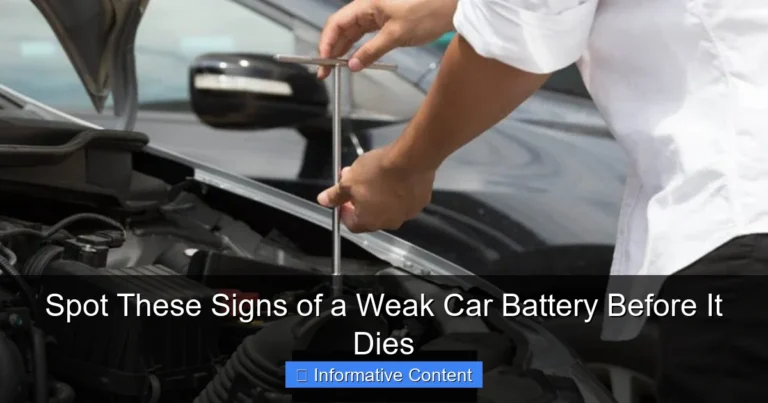
Voltage Check: Use a multimeter to measure the battery’s voltage.
Make sure the multimeter is set to DC voltage. Connect the red probe to the positive (+) terminal and the black probe to the negative (-) terminal. If the voltage is very low, below 10V, the battery may be deeply discharged or sulfated.
-
Load Test: A load test can show the battery’s ability to supply power.
Use a battery load tester, or take the battery to a service center. The load test puts the battery under stress, simulating real-world conditions. This will help you know if the battery can hold a charge and deliver power. A battery that fails a load test may need to be replaced.
Inspect the Charger and Connections
After examining the battery, the next step is to examine the charger and its connections. A charger malfunction, or problems in the connections, are common issues. Pay close attention to any signs of damage, corrosion, or looseness. If you make sure the charger and the connections are operating correctly, you will find it easier to find the source of the issue. A simple check can avoid much frustration.
-
Charger Inspection: Visually check the charger for any damage.
Look for any cracks, burns, or other visible damage on the charger’s case or cables. A damaged charger can be a safety hazard, so it’s best to replace it if it’s damaged. If the charger is in good condition, move on to checking the connections.
-
Terminal Cleaning: Clean the battery terminals and charger clamps.
Use a wire brush or a terminal cleaner to remove any corrosion from the battery terminals and charger clamps. Clean terminals ensure a good electrical connection. Poor connections can prevent the charger from increasing the voltage above 12V. Make sure the terminals are clean and shiny.
-
Connection Checks: Make sure all connections are secure and tight.
Make sure the charger clamps are firmly attached to the battery terminals. Wiggle the clamps to check for any looseness. If the connections are not tight, they can interrupt the charging process. If any connections are loose, tighten them to ensure a secure connection.
Testing the Charger’s Output
Testing the charger’s output can help determine if the problem is with the charger itself. Using a multimeter, you can check whether the charger is delivering the correct voltage and current. You can also see if the charger is performing as it should. If the charger is not producing the correct output, then it may be the issue. Knowing how to test your charger’s output will provide you with the information you need to take the next step.
-
Voltage Test: Measure the voltage output of the charger when it is connected to the battery.
Set your multimeter to DC voltage, and connect the red probe to the positive terminal and the black probe to the negative terminal. Start the charging process, and monitor the voltage reading. If the voltage remains at 12V or below, the charger may be faulty.
-
Current Test: Check the current output of the charger while it is connected to the battery.
Make sure to have your multimeter set to DC amps. Put the multimeter leads in series with the charger and the battery to measure the current flow. If the current is significantly low or nonexistent, the charger may not be working correctly.
-
No-Load Test: You can perform a no-load test to determine whether the charger is working without the battery.
Disconnect the charger from the battery, and measure the output voltage. If the charger shows an output voltage greater than 12V, the problem may be the battery not taking the charge. If the output voltage is still 12V or lower, the charger is the problem.
Advanced Troubleshooting and Solutions
If the steps above do not solve the problem, you may need to try more advanced troubleshooting techniques. Advanced methods might involve deeper checks of the charger’s components or seeking professional assistance. Using these advanced techniques can assist you in finding the root cause of the issue, and help to get your charger back in shape.
Deep Cycle Battery Considerations
If you have a deep-cycle battery, there might be specific things to consider. These batteries are built differently than standard car batteries and they require special care. Charging these batteries might require a different approach. They have different charging requirements. This section explores why a deep-cycle battery might get stuck at 12V during charging. Knowing these details can help you fix the issue properly.
-
Charging Profile: Deep-cycle batteries benefit from chargers that have specific charging profiles.
These profiles are made to manage the charge stages properly and protect the battery. A charger designed for general use may not work correctly with a deep-cycle battery. Make sure your charger supports the correct charging profile.
-
Equalization: Some deep-cycle batteries might need an equalization charge to balance the cells.
Equalization helps to eliminate sulfate crystals that can form on the battery plates. If a charger doesn’t have an equalization feature, the battery might not reach its full potential. Regularly equalization can maintain your battery.
-
Battery Chemistry: The chemistry of deep-cycle batteries differs from standard car batteries.
Deep-cycle batteries are usually designed with thicker plates to handle constant charge and discharge. Make sure your charger is suitable for the battery’s specific chemistry, such as lead-acid, AGM, or lithium-ion. This compatibility is important for getting the best charge possible.
Checking Charger Components
If the charger still has issues, then it may be time to examine its internal components. This process may include opening the charger and checking for any issues inside. However, this is more complex and might need some experience with electronics. If you are not comfortable working with electronics, it is recommended to have a professional check the charger. Doing so is important for your safety and for making sure you don’t make the issue worse.
-
Visual Inspection of Internal Components: Carefully open the charger and inspect the internal components for damage.
Check for blown fuses, burnt resistors, or leaking capacitors. Overheating or power surges could damage the internal components. Make sure the charger is unplugged before opening it. If you see any visible damage, it is wise to replace the charger. If you do not have any knowledge of electronics, it is best to take the charger to a qualified technician.
-
Fuse Checks: A blown fuse may be a cause.
Locate the fuse in the charger and check for continuity using a multimeter. If the fuse is blown,
-
Component Testing with a Multimeter: With experience, you can use a multimeter to test resistors, diodes, and capacitors.
Be careful when doing this because you can be exposed to high voltages. Make sure the charger is disconnected from the power supply. Consult a repair manual or online resources for testing procedures. If you are not comfortable with these procedures, seek professional help.
Seeking Professional Assistance
If you’ve tried all the troubleshooting steps and the battery charger not going past 12v, it’s time to seek professional assistance. Electrical components and chargers can be complex, and doing the wrong thing could lead to safety problems or further damage. Professionals have the tools, expertise, and experience to diagnose and fix such problems. You could save money and ensure your charger is fixed correctly.
-
Locating Qualified Repair Services: Find a trusted repair service.
Look for local electrical shops or battery specialists that have experience with charger repair. Check online reviews and ask for recommendations to ensure the quality of their service. Make sure that they can work on your type of charger.
-
Benefits of Professional Diagnosis: A professional diagnosis can pinpoint the problem and prevent you from making it worse.
A professional will have advanced tools to test the charger. They can also identify issues that you may miss. This can include component-level diagnostics and safety inspections. A professional diagnosis helps you to get a reliable fix.
-
Cost-Effectiveness: Sometimes, professional repair is more cost-effective than replacement.
A simple repair can be a lot cheaper than buying a new charger. If the charger is high-quality or a specialty model, repairing it can save money in the long run. Get an estimate before committing to any repairs.
The average lifespan of a car battery is around 3-5 years, but it can be less depending on the use, climate, and maintenance. According to a study by AAA, batteries often fail in hot weather because extreme temperatures speed up corrosion and evaporation of battery fluids.
| Component | Problem | Solution |
|---|---|---|
| Battery Terminals | Corrosion | Clean with wire brush and baking soda solution. |
| Charger Cables | Damaged | |
| Charger | Internal Component Failure | Seek professional repair. |
Frequently Asked Questions
Question: Why is my battery charger stuck at 12V?
Answer: Several issues can cause this, like a bad battery, faulty charger, or bad connections. Check the battery condition, the charger, and all the connections to find the problem.
Question: How do I test my battery’s voltage?
Answer: Use a multimeter set to DC voltage. Put the red probe on the positive (+) terminal of the battery and the black probe on the negative (-) terminal. Check the reading.
Question: What does it mean if my battery is sulfated?
Answer: Sulfation means that sulfate crystals have built up on the battery plates, stopping it from taking a charge. It is usually caused by the battery being left discharged.
Question: What should I do if my charger is overheating?
Answer: If your charger overheats, unplug it and let it cool down in a safe area. Then, check for any obstructions blocking airflow or other damage. Make sure it has enough space to work. If the problem persists, the charger could have an internal issue.
Question: Should I replace my charger or get it repaired?
Answer: It depends on the issue. If your charger is simple, it may be possible to repair it. For more complicated problems, it’s best to have a professional to check it. If the repair cost is too much, it might be better to replace the charger.
Final Thoughts
Dealing with a battery charger not going past 12v can be annoying, but it’s often fixable. We looked at common issues, such as battery condition, charger malfunctions, and connection problems. We also explored a step-by-step approach to help you troubleshoot the problem, starting with simple checks and moving on to more complex diagnostics. Remember to check your battery’s state, inspect connections, and test the charger’s output. While you may have to
By following these steps, you can save money, extend your battery’s life, and make sure your charger performs well. Armed with this knowledge, you can troubleshoot and fix the issue with confidence. If the problem persists, don’t hesitate to consult a professional to ensure your battery and charger are safe and working properly.