Why Your Battery Charger Stays in Bulk Mode
It’s frustrating when your battery charger stays in bulk mode, especially when you’re just starting out. Many people find this puzzling because they don’t know the exact steps of charging a battery properly. But don’t worry! This is a common issue with easy solutions. We’ll explore why this happens and give you a simple, step-by-step guide to get your charger working as it should. Let’s start and get your batteries charged up.
What Causes a Battery Charger Stays in Bulk Mode?
The “bulk mode” is the initial charging stage of a battery charger. During this phase, the charger delivers its maximum current to quickly bring the battery’s voltage up to a certain level. However, if the charger is stuck in bulk mode, it means it’s not progressing to the subsequent stages: absorption and float. This can be due to various reasons, from a battery experiencing significant depletion to issues with the charger itself or the settings. Identifying the root cause is the first step toward a fix. Let’s discover some of the primary reasons for this issue.
Understanding the Charging Stages
A battery charger typically operates in three main stages: bulk, absorption, and float. Each stage is designed to manage the charging process efficiently and protect the battery. The battery charger stays in bulk mode when it doesn’t move through the entire charging cycle. Recognizing these stages is key to understanding how your charger should function.
- Bulk Stage: This is the initial stage, where the charger delivers the maximum current the battery can accept without damage. The voltage increases rapidly during this phase. The goal is to quickly bring the battery’s voltage up to a certain threshold.
- Absorption Stage: Once the battery reaches a certain voltage (often around 14.4V for a 12V battery), the charger enters the absorption stage. The voltage remains constant while the current gradually decreases. This stage ensures the battery is fully charged without overheating.
- Float Stage: The final stage, the float stage, is a maintenance phase. The charger provides a small current to maintain the battery’s charge and prevent self-discharge. The voltage is typically lower than in the absorption stage.
The transition between these stages depends on the battery’s voltage, current, and the charger’s settings. If the charger gets stuck in the bulk stage, the battery might not reach full capacity. It might also damage the battery. Let’s look at why it might stick in bulk mode.
Common Causes of Bulk Mode Sticking
Several factors can cause a battery charger stays in bulk mode. Knowing these causes helps you find solutions quickly. Issues with the battery, the charger, or the settings on the charger can cause it to remain in the bulk phase. Here are some of the most common reasons.
- Battery Sulfation: If a lead-acid battery is left in a discharged state for too long, sulfate crystals can build up on the battery plates. This process, called sulfation, reduces the battery’s ability to accept a charge. The charger might stay in bulk mode because the battery’s voltage doesn’t rise as expected.
- Battery Age and Condition: An old or damaged battery might not be able to hold a charge effectively. As a result, the charger might remain in bulk mode because the battery never reaches the voltage threshold for the absorption stage. Battery health is a major influence on charging behavior.
- Incorrect Charger Settings: Some chargers have settings that affect how they charge. For example, if the charger is set to a different battery type than the battery you’re charging (e.g., lithium-ion charger on a lead-acid battery), it might not switch stages correctly.
- Charger Issues: The charger itself may have problems, either internally or due to external factors such as temperature. A faulty charger might fail to regulate voltage and current, causing it to remain in the bulk phase.
- Low Battery Voltage: If the battery’s voltage is extremely low, the charger might get stuck in bulk mode as it tries to recover the battery. Deeply discharged batteries often need more time to be brought back to a functional state.
How to Troubleshoot and Fix When Your Battery Charger Stays in Bulk Mode
When you encounter a situation where the battery charger stays in bulk mode, you need to systematically diagnose and fix the problem. Begin by checking the battery and charger. Then, review the settings. Here’s a step-by-step approach to get your charging process back on track.
Step-by-Step Troubleshooting Guide
Follow this detailed guide to troubleshoot the issue. Each step aims to pinpoint the cause and suggest a remedy. The key is to check all possible problems one by one.
- Check the Battery Voltage: Use a multimeter to measure the battery’s voltage. If the voltage is significantly low (e.g., below 10.5V for a 12V lead-acid battery), the battery might be deeply discharged or damaged.
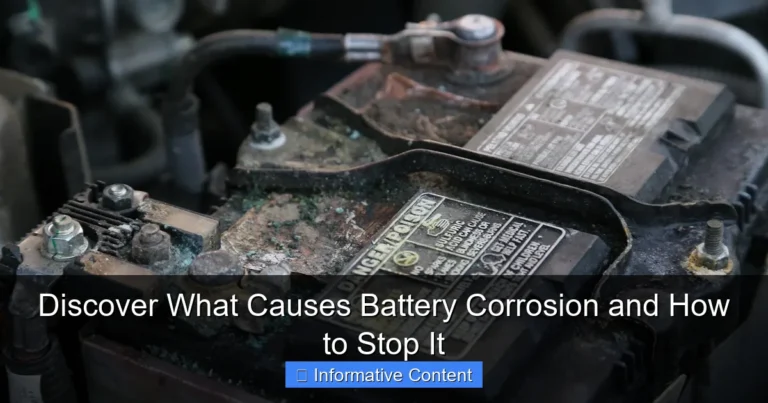
- Inspect the Battery: Look for any physical damage, such as swelling, leaks, or corrosion. These are signs the battery might be bad and unable to charge correctly.
- Verify Charger Settings: Make sure the charger is set for the correct battery type and voltage. Selecting the wrong settings can cause the charger to get stuck in bulk mode or damage the battery.
- Inspect the Connections: Ensure all connections between the charger and the battery are clean and secure. Poor connections can lead to inefficient charging.
- Test with a Different Charger: If possible, try charging the battery with a different charger. This helps determine if the problem lies with the charger or the battery itself.
- Check for Sulfation (for Lead-Acid Batteries): Use a battery desulfator or a charger with a desulfation mode. This process can help remove sulfate crystals from the battery plates, improving its ability to accept a charge.
By following these steps, you can find out the cause of the problem and get your battery charging properly.
Tools and Equipment You Might Need
To diagnose and fix the issue, you may need specific tools. Having these items will assist you in making accurate assessments and adjustments. Proper equipment makes the troubleshooting procedure simpler and more accurate.
- Multimeter: To measure battery voltage and check the voltage output of the charger.
- Battery Load Tester: To test the battery’s capacity to hold a charge under load.
- Battery Charger: Make sure the charger you’re using is compatible with the battery type and voltage.
- Battery Desulfator (Optional): For lead-acid batteries, a desulfator can help reverse sulfation.
- Cleaning Supplies: Such as a wire brush or baking soda solution to clean battery terminals if there is corrosion.
Having the right tools will help you find the source of the problem and solve the charging issue.
Real-Life Case Studies
Real-life case studies can help you understand how to solve this issue. Seeing examples of other people’s problems will offer insights and solutions. These cases highlight the importance of careful troubleshooting.
- Case Study 1: A user’s lead-acid battery in their car wouldn’t charge past the bulk stage. After a multimeter check, the battery was below 10V. Using a battery desulfator, and after a few hours of charging, the battery began accepting a charge, and the charger moved into the absorption phase.
- Case Study 2: A user found that their lithium-ion battery charger was stuck in bulk mode. After a thorough inspection, it turned out the charger was set to lead-acid mode. After changing the setting, the charger functioned as expected.
Preventing the Battery Charger Stays in Bulk Mode Issue
Preventing a battery charger stays in bulk mode requires proactive measures. You can protect your battery and charger by following these steps. By taking preventive steps, you can make sure your batteries have a long life.
Regular Battery Maintenance
Regular maintenance is essential to avoid charging problems. Routine inspections and care can help keep your battery in good shape. This maintenance will save you from future issues.
- Regular Inspections: Regularly check your battery for physical damage, such as swelling or leaks. Also, check the terminals for corrosion.
- Proper Storage: When storing batteries, keep them in a cool, dry place and fully charge them before storage.
- Avoid Deep Discharge: Try not to discharge your battery completely, as this can lead to sulfation and reduce its lifespan.
- Clean Terminals: Clean battery terminals regularly to remove any corrosion, which can obstruct charging.
Keeping a battery in good condition is a great way to prevent future problems.
Choosing the Right Charger
Choosing the right charger is important for the health of your battery. The proper charger can prevent problems and increase the battery’s lifespan. By choosing wisely, you can protect your investment.
- Match Charger to Battery Type: Ensure the charger is made for the type of battery you’re using (e.g., lead-acid, lithium-ion, AGM, etc.). Using the wrong charger can damage the battery.
- Consider Smart Chargers: Smart chargers automatically adjust the charging rate and voltage based on the battery’s condition and type, preventing overcharging and optimizing battery life.
- Check for Safety Features: Select a charger with safety features like overcharge protection and reverse polarity protection. These features help safeguard both the battery and the charger.
- Sizing the Charger: The charger’s current output should match the battery’s capacity. A charger that is too powerful can damage the battery. One that is too weak will take a long time to charge it.
Choosing the correct charger will help ensure your battery charges correctly and lasts longer.
Following Best Practices
Adhering to best practices can help prevent charger issues and extend battery life. Following these recommendations helps ensure that your batteries and chargers work efficiently. This will result in better charging and performance.
- Read the Manual: Always consult the battery and charger manuals for recommended charging procedures and settings.
- Monitor the Charging Process: Keep an eye on the charging process, especially during the bulk stage, to make sure the charger moves into the absorption and float phases.
- Use Temperature Compensation: If your charger has a temperature compensation feature, use it, especially in extreme temperatures, as it adjusts the charging voltage based on the temperature.
- Avoid Overcharging: Once the battery is fully charged, disconnect the charger to avoid overcharging, which can damage the battery.
By following these best practices, you can make the most of your battery and charger.
According to research, the global battery charger market is expected to reach $20.2 billion by the end of . That highlights the importance and demand for this technology. Another study reveals that faulty charging practices can shorten a battery’s life by 30%. Implementing the right practices is essential for both efficiency and durability.
Frequently Asked Questions
Question: Why does my charger start and then stop charging?
Answer: Your charger might stop because it detects a fault in the battery, such as internal damage or an open circuit. It could also be due to overvoltage protection kicking in if the battery’s voltage is already too high.
Question: How long should a battery stay in bulk mode?
Answer: The time a battery spends in bulk mode varies. It depends on the battery’s state of charge and capacity. However, if your battery charger stays in bulk mode for more than a few hours, it may indicate a problem with the battery.
Question: Can I use a different charger for my battery?
Answer: Yes, but it is important to match the charger to the battery type and voltage. Avoid using a charger that is not compatible, as this can damage the battery or prevent it from charging completely.
Question: What does it mean if my charger shows an error?
Answer: An error message on your charger typically indicates an issue, like a short circuit, reverse polarity, or an incompatible battery type. You should refer to your charger’s manual to understand the specific error and how to fix it.
Question: How can I tell if my battery is sulfated?
Answer: For lead-acid batteries, signs of sulfation include a battery that won’t accept a charge, a reduced capacity, and a lower voltage than expected. Using a battery load tester or a specific desulfation process can help confirm it.
Final Thoughts
If you’re dealing with a situation where your battery charger stays in bulk mode, you are not alone. It can seem complicated, but with some detective work, you can usually figure out what’s causing the problem. First, check your battery’s voltage and inspect for damage. Then, make sure the charger settings are correct for your battery type. If you have the right tools, like a multimeter, diagnosing the issue will be straightforward. Also, remember to maintain your batteries, choose the right chargers, and follow the best practices. By doing these things, you will keep your batteries charging properly. This will increase their lifespan and save you money. Don’t worry if it takes some time to resolve. With the right approach, you will get your battery and charger working correctly.