Can You Charge a Battery Without Taking It Out?
It’s a common question: can you charge battery without removing it? Many people wonder if they can simply plug in their device and let it charge, without taking out the battery. This can seem tricky, especially for beginners. The good news? It’s often possible, and we’ll break down how. We’ll explore the ins and outs, giving you a clear, step-by-step guide to make things easier. Let’s get started!
Charging Basics: Batteries and Their Needs
Before exploring how to charge a battery without removing it, it’s essential to grasp the fundamentals. Batteries are devices that store chemical energy and convert it into electrical energy. Different types of batteries exist, including lithium-ion, nickel-cadmium, and lead-acid, each with specific charging requirements. The way a battery is charged directly impacts its lifespan and performance. Incorrect charging can lead to damage, reduced capacity, or even safety hazards. Recognizing these factors helps in avoiding common charging mistakes and ensuring the battery is correctly maintained, whether it remains in place or is removed.
Battery Types and Charge Compatibility
Different types of batteries require different charging methods. For instance, lithium-ion batteries, commonly found in smartphones and laptops, require a constant-voltage, constant-current charging method. This means the charger first delivers a constant current until the battery reaches a specific voltage, then switches to maintaining that voltage. Nickel-cadmium batteries, which are older, might need a completely different approach. Using the wrong charger or charging method can damage the battery. Using the right charger is also important to prevent overcharging. Overcharging can lead to heat generation and potential battery damage. Always match the charger to the battery type for safe and effective charging. Modern chargers often have built-in safeguards, but selecting the right one is still key.
- Lithium-ion Batteries: These are very common. They are used in phones, tablets, and laptops. They usually use a constant-voltage and constant-current charging method, explained above.
- Nickel-Metal Hydride (NiMH) Batteries: Commonly found in rechargeable AA and AAA batteries. They have a different charging profile. Some chargers can detect when the battery is full.
- Lead-Acid Batteries: Typically found in car batteries. They need a different type of charger, often with a float charge mode to maintain the charge.
- Charger Compatibility: Ensure the charger’s output voltage and current match the battery’s specifications. Using the incorrect charger could damage the battery.
Battery Safety and Prevention
Safety is a significant concern when handling batteries. Batteries can generate heat, and in extreme cases, they can overheat or even catch fire. This risk is amplified if a battery is damaged or charged incorrectly. Always inspect batteries for any signs of damage, such as swelling, leakage, or physical distortion, before charging. Avoid charging batteries in extreme temperatures. Temperatures that are too hot or too cold can negatively affect charging performance and safety. Also, never leave batteries unattended while charging, especially overnight. This simple practice helps prevent accidents like overheating or overcharging. Taking these precautions protects both the battery and the user from potential hazards.
- Inspect the Battery: Before charging, check for any damage. Look for swelling, leaks, or physical damage. If you see any of these, don’t charge the battery.
- Charging Environment: Charge batteries in a well-ventilated area, away from flammable materials.
- Temperature Control: Avoid charging batteries in direct sunlight or in freezing conditions. Extreme temperatures affect performance.
- Overcharge Protection: Use chargers with overcharge protection. Modern chargers usually have this built-in.
- Unattended Charging: Avoid leaving batteries charging overnight or unattended for extended periods.
How to Charge a Battery Without Removing It: A Step-by-Step Guide
The ability to charge a battery without removing it depends on the device and battery type. For most modern electronic devices, like smartphones, laptops, and electric vehicles, charging while the battery is inside is the norm. The built-in charging circuits in these devices regulate the charging process. Other items, such as some older devices or power tools, may require a different approach. Knowing the specific type of battery in use helps when deciding how to best charge it. Understanding these basic principles sets a foundation for a successful charging experience. Let’s now explore the actual steps involved.
Step-by-Step Instructions
Charging a battery without taking it out is usually simple. The process varies slightly depending on the device, but the fundamentals are the same. First, locate the charging port. This is usually a standard port, such as USB-C, micro-USB, or a proprietary connector. Next, get the correct charger. Use the charger that came with the device, or a charger recommended by the manufacturer. Then, connect the charger to the device. Ensure the charger is securely plugged in. Check for a charging indicator, such as a light or an icon on the screen. Let the battery charge completely. The time needed will depend on the battery’s size and the charger’s output. Unplug the charger when the battery is fully charged. This helps avoid overcharging.
- Identify the Charging Port: Find the charging port on the device. Common ports include USB-C, micro-USB, and sometimes a proprietary connector.
- Get the Correct Charger: Use the charger provided with your device, or a charger of the right specifications (voltage, amperage) that is compatible with the device.
- Connect the Charger: Plug the charger into the device’s charging port. Make sure the connection is secure.
- Check for Charging Indication: Observe for a charging light or an icon on the device’s screen to show it’s charging.
- Let It Charge: Allow the device to charge fully. Charging time varies depending on the battery size.
- Disconnect When Full: Unplug the charger when the battery is fully charged.
Troubleshooting Common Charging Problems
Sometimes, problems may occur while charging a battery without removing it. If the device does not charge, first check the charger and the charging port. A loose connection or a damaged port can prevent charging. Try a different charger or charging cable to rule out a faulty charger. Verify the power source. Make sure the outlet is functioning. Some devices might need a specific amount of power to start charging. Check the battery’s health. Batteries degrade over time, and an old battery might not charge as it once did. Also, software or firmware updates on the device may affect charging. Look for any updates that relate to battery or power management.
- No Charging: If the device does not charge, check the charger and charging port. Try a different charger.
- Slow Charging: Slow charging may mean the charger is not powerful enough. It can also be a sign of a failing battery.
- Overheating: If the device or battery gets too hot during charging, stop immediately. Disconnect and let it cool down.
- Battery Drain While Charging: Some devices drain battery faster than they charge if used during charging.
- Software Issues: Sometimes, software issues cause charging problems. Make sure the device’s operating system is up-to-date.
Charging Practices for Different Devices
The method of charging a battery without removing it varies somewhat depending on the device. Smartphones, laptops, and electric vehicles have distinct charging systems and needs. Mobile devices usually feature built-in charging circuits designed to regulate the process. Electric vehicles often use specialized charging stations and protocols to support high-power charging. Understanding these differences helps in preventing potential harm to devices. Furthermore, adopting the best charging method increases battery health and longevity. It is helpful to know these nuances and how to maintain equipment.
Charging Smartphones and Laptops
Charging smartphones and laptops is generally easy, thanks to their integrated charging systems. These devices use lithium-ion batteries and come with chargers that are made specifically for their needs. To charge a smartphone, simply plug the charging cable into the device and into a power source. Laptops work in a similar way, using a power adapter to charge. The devices’ internal circuits manage the charging process, preventing overcharging and damage. Both smartphones and laptops often have charging indicators. These visual cues show the current charging status and the battery level. Charging times vary depending on the battery capacity and the charger’s power output. However, both smartphones and laptops are designed to be safe and efficient during charging.
- Smartphones: Use the original charger or a compatible one. Plug the cable into the phone and a power outlet. The device typically indicates charging with an icon on the screen.
- Laptops: Connect the power adapter to the laptop. The device usually has a charging indicator. Most laptops shut off the charging once the battery is full.
- Charging Habits: Avoid fully discharging the battery. Partial charging and discharging are generally better for battery life.
- Charging Time: Charging times depend on the charger and battery capacity. Many devices offer fast charging options.
- Charging Environment: Charge your devices in a cool, dry place. Avoid leaving them in direct sunlight.
Electric Vehicle (EV) Charging Methods
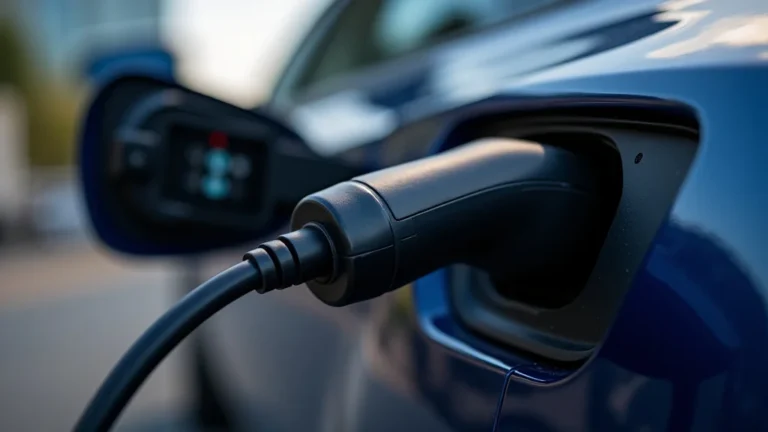
Electric vehicle (EV) charging is significantly different from charging smartphones or laptops. EVs use larger batteries that require specialized charging infrastructure. Charging can be done at home with a Level 1 or Level 2 charger, or at public charging stations. Level 1 chargers use a standard 120-volt outlet and are the slowest option. Level 2 chargers use a 240-volt outlet and provide a faster charging speed. Public charging stations offer a variety of charging speeds. The fastest option, DC Fast Charging, can add significant range in a short time. EV charging systems also manage energy flow and ensure safety during the process. The charging process is usually simple. Plug the charging cable into the vehicle and the power source. The car’s dashboard will show the charging progress.
- Level 1 Charging: Uses a standard 120-volt outlet. Slowest charging method, often used overnight at home.
- Level 2 Charging: Uses a 240-volt outlet. Faster charging. Common for home and public charging.
- DC Fast Charging (Level 3): Provides the fastest charging speeds. Often found at public charging stations.
- Charging Times: Charging times vary based on charger type and battery size. DC Fast Charging is the quickest.
- Charging Habits: Regular charging practices impact battery longevity. Keeping the battery between 20-80% is often recommended.
Frequently Asked Questions
Question: Is it safe to charge a battery without removing it?
Answer: Yes, in most cases, charging a battery without removing it is safe. Most modern devices have built-in safety features to prevent overcharging and other issues.
Question: Can I charge my phone overnight without causing damage?
Answer: Yes, it’s generally safe to charge your phone overnight. Most modern phones stop charging once the battery is full, but prolonged heat exposure may, over time, affect battery performance.
Question: What should I do if my device won’t charge?
Answer: Check the charger, charging port, and power source. Try a different charger, cable, or outlet. If the problem continues, the device or battery might need service.
Question: What’s the best way to maintain my battery’s lifespan?
Answer: Avoid fully discharging the battery. Partially charging and discharging it is generally better for battery life. Avoid extreme temperatures and use the right charger.
Question: How often should I calibrate my battery?
Answer: Calibration, especially for modern lithium-ion batteries, is not needed regularly. It’s better to allow the device to manage its own power efficiently.
Final Thoughts
So, can you charge battery without removing it? In the majority of cases, the answer is a simple yes. From smartphones and laptops to electric vehicles, the ability to charge a battery while it’s inside the device is standard practice. We explored how to correctly charge different devices, from plugging in a phone to using public EV chargers. You’ve also learned the key factors affecting battery safety and lifespan, and what to do if you encounter any difficulties. Now, you’re prepared to confidently charge your devices without the need to take the battery out. Remember to use the right chargers and follow best practices to protect your batteries and keep your devices running at their best.