Battery Charger Not Detecting Battery Solve It Now
It’s frustrating when your battery charger won’t detect battery. It happens to everyone, especially if you’re new to using them. Don’t worry, though; this problem usually has a simple fix! We’ll explore the common reasons why this happens, and then give you a step-by-step process to get your charger and battery working together. You’ll be charging your devices again in no time. Let’s get started!
Common Reasons Your Charger Isn’t Recognizing the Battery
One of the first things that happens when your battery charger won’t detect battery is that you need to find out why. Understanding why your charger isn’t working can save you time and money. There are several typical reasons why this occurs, ranging from simple connection issues to problems with the charger or battery itself. Knowing what causes these problems will help you identify the root cause quickly and get things back up and running. Some issues are easier to resolve than others. We’ll explore them one by one, to help you understand the likely causes, and what steps you can take to rectify the situation.
Power and Connection Problems
Power and connection problems are the most common causes of this issue. Check your power source first. Make sure the outlet is working; you can test it with another device. Next, look at the connections. A loose connection between the charger and the battery can prevent detection. Check the charger’s plug for any damage. Check the pins on both the charger and the battery. Lastly, inspect the charging port on the device. Debris or corrosion can block a good connection. These are usually the easiest problems to fix. Addressing these problems is the first step towards resolving the issue.
- Faulty Power Outlet: A non-functional outlet won’t supply power to the charger.
- Loose Connection: A loose connection between the charger and the battery can cause the issue.
- Damaged Charging Plug or Port: Physical damage can prevent the proper transfer of power.
If the outlet isn’t working, your charger won’t work either. It’s an easily overlooked but common issue. Before you panic, check if other devices work in the same outlet. If they don’t, it’s likely a power problem.
Make sure the connection between the charger and the battery is snug. A slightly loose fit can disrupt the charging process. Ensure the charger is properly inserted into the device.
Examine both the charger’s plug and the device’s charging port. Look for bent or broken pins, or any signs of corrosion. Damage to these components can easily disrupt charging. Clean any debris if possible, but be careful not to cause further damage.
Battery Issues
The battery itself might have problems. Old batteries can deteriorate, making them unable to receive a charge. A completely discharged battery might not be recognized by the charger. Also, a damaged battery can cause the charger to shut down for safety. These problems are often the next level of complexity. Some issues are repairable, while others require
- Battery Age: Older batteries can degrade and lose their ability to hold a charge.
- Deep Discharge: A battery drained completely might not be detected by the charger.
- Internal Damage: Physical damage or internal faults can cause a battery to fail.
Like any electronic component, batteries have a lifespan. As they age, their capacity to accept and hold a charge decreases. This reduced capacity can make it seem like the charger is not working. The battery may no longer meet the minimum voltage the charger requires to begin charging.
If a battery is discharged too far, it can trigger the charger’s safety mechanisms, preventing it from starting the charging process. The charger might be designed to protect the battery and itself from damage. This is a common situation with devices left unused for long periods.
Damage, such as swelling or leaks, makes the battery unsafe. Internal faults can also disrupt the charging process. If the battery is showing signs of damage, do not attempt to charge it. Replacing the battery is the safest option.
Charger Malfunctions
Sometimes, the charger itself is the issue. Chargers can fail due to internal component damage or power surges. If the charger is faulty, it will not charge the battery. Checking the charger’s functionality is important before assuming the battery is the problem. These can sometimes be repaired, but in many cases,
- Internal Component Failure: Over time, internal components can fail, causing the charger to stop working.
- Power Surge Damage: Power surges can damage the charger’s circuitry.
- Compatibility Issues: Chargers must match the battery’s voltage and amperage requirements.
Chargers contain several electronic components that can wear out or break. A blown fuse, a damaged capacitor, or a faulty circuit board can all prevent the charger from working correctly. These are harder to fix without specific equipment and expertise.
A power surge can enter the charger and damage sensitive electronics. This can happen during thunderstorms. The damage may not always be visible. Using a surge protector can help prevent this problem.
Using the wrong charger for a battery is a common mistake. If the charger does not provide the correct power, the battery may not charge, or it can be damaged. Always use the charger recommended by the device manufacturer.
Steps to Troubleshoot Your Charger and Battery
Now, let’s explore some basic troubleshooting steps. These steps can help you identify and fix the issue when your battery charger won’t detect battery. Following these steps helps you isolate the problem. By working through them, you can often pinpoint what is stopping your charger from working correctly.
Visual Inspections and Basic Tests
Start with a good look at your equipment. A visual check can often reveal simple problems that are easy to fix. Checking the connections and testing the power source are good starting points. These simple steps can save you time and frustration. If you notice any issues during your inspections, address them immediately.
- Inspect the Charger and Battery Connections: Check for any damage or debris.
- Test the Power Outlet: Use a different device to ensure the outlet is functional.
- Check the Charger’s Indicator Lights: Some chargers have indicator lights that show the charging status.
Carefully examine the charging plug, the charging port on your device, and the battery contacts. Make sure they are clean, and there is no visible damage. Sometimes, a simple cleaning with a cotton swab or compressed air can resolve the issue.
The outlet might not be working. Plug in another device, like a lamp or a phone charger, into the same outlet to confirm. If the other device also fails, the problem lies with the outlet.
Consult the charger’s manual. Look for any indicator lights that might tell you if the charger is receiving power, charging, or if there is a problem. The lights can indicate whether the charger is working.
Testing the Battery
After checking the basics, move on to testing the battery itself. Determining the battery’s health and state can help decide whether it is the source of the problem. This includes voltage checks if you have a multimeter. Following these steps helps you assess the condition of the battery and understand if the charger is able to work with it.
- Check Battery Voltage (with a Multimeter): This step requires a multimeter to measure the battery’s voltage.
- Try Charging Another Battery (if possible): This can help determine whether the problem is with the charger or the battery.
- Examine the Battery for Physical Damage: Look for any signs of swelling, leaks, or corrosion.
If you have a multimeter, measure the battery voltage. If it’s very low or at zero, the battery may be deeply discharged or damaged. Check the manufacturer’s recommended voltage range. A battery that falls outside of this range may not charge correctly, or at all.
If you have access to a similar battery, try charging it with the same charger. If the other battery charges, the original battery is the problem. If the other battery does not charge, the issue is likely with the charger.
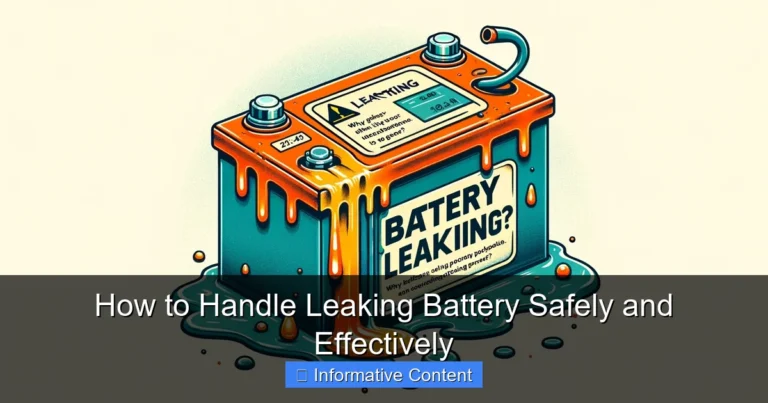
Check the battery’s exterior for any visible damage. Swelling is a dangerous sign. If you see leaks, wear protective gloves and dispose of the battery safely. If you find corrosion, the battery might be damaged, and you will need to replace it.
Trying Different Chargers and Troubleshooting
Sometimes, the easiest way to solve the problem is to try different chargers. If you have access to another charger for the same type of battery, test it. If the alternative charger works, you know the original charger is the problem. These steps help isolate the cause. They provide a simple, direct way to check what is working and what is not.
- Use a Different Charger (if available): Try charging the battery with a different, known-good charger.
- Check Charger Compatibility: Ensure the new charger is compatible with the battery’s voltage and amperage.
- Consult the Device or Charger Manual: Refer to the manuals for specific troubleshooting advice.
If you have access to another compatible charger, try it. This is a quick way to determine whether the problem is with the charger or the battery. If the other charger works, the original charger is the issue.
If you use a different charger, make sure the voltage and amperage match the battery’s requirements. Using the wrong charger can damage the battery. Look at the battery label and the charger’s specifications to verify compatibility.
The manuals usually provide detailed instructions on troubleshooting common issues. They may suggest specific solutions or offer contact information for support. Always check the manual first for specific guidance.
Advanced Solutions and When to Seek Help
If the basic troubleshooting steps don’t work, more advanced solutions may be necessary. Some problems can be solved, while others require professional help. This includes checking battery management systems and the charger’s components. At this stage, it’s also important to know when to call in an expert.
Battery Management System (BMS) Checks
Many modern batteries have a BMS to protect them. The BMS monitors voltage, current, and temperature, and can prevent charging under certain conditions. Examining the BMS might be a little more involved, but it is important if the battery is not charging. Understanding how the BMS works and what issues it might be having can guide your troubleshooting. Sometimes a reset is all that is needed.
- Locate the BMS: Understand where the BMS is located within the battery or device.
- Resetting the BMS: Try resetting the BMS, if possible (this varies depending on the device).
- BMS Fault Detection: Some devices have fault indicators for the BMS.
The BMS can be integrated into the battery pack itself. Or, it can be part of the device’s circuitry. Find out where it is located. Research how it works for your battery type. This will help you know how to interact with it.
Some BMS systems can be reset to clear any error states. Consult the device’s documentation for instructions on resetting the BMS. The reset procedure may involve a specific button combination, or a specific charge and discharge cycle. Try this before getting help.
Some devices provide error codes or status lights to indicate BMS issues. Consult the device’s manual to find out what these codes mean. Knowing the specific issue can guide further troubleshooting and determine whether to get help.
Charger Component Inspection and Repair
If the charger appears to be the problem, inspecting the internal components might be necessary. This requires opening the charger and visually inspecting the parts. It is essential to be careful when working with electrical equipment. Always disconnect the charger from the power source before opening it. If you’re not comfortable working with electronics, do not attempt repairs. Seek professional assistance.
- Safety First: Disconnect the charger from the power source before opening it.
- Visual Inspection of Components: Look for any signs of damage, such as burnt components, blown fuses, or loose connections.
- Professional Repair or
Charger repair requires electronic expertise and specialized tools. If you are not familiar with these tools, it’s best to seek professional assistance. This may be more cost-effective than buying a new charger.
Always unplug the charger. Make sure the charger is completely discharged before you open it up. Working with electronics without proper safety can be dangerous. Consider the risks involved.
Carefully inspect the circuit board and other components. Look for burnt marks, bulged capacitors, and damaged wires. If you find any obvious damage, it is likely the charger is at fault. These components may be able to be replaced, if you are skilled enough.
When to Seek Professional Help
Sometimes, the problem is too difficult to solve on your own. There is a time to seek help. If the problem is persistent, or if you are not comfortable performing advanced troubleshooting, it is best to consult an expert. Here’s what you should know to determine when it’s time to seek help.
- Complex Issues: If the problem appears to be with the BMS or internal charger components.
- Safety Concerns: If the battery shows signs of damage, like swelling or leaks.
- Lack of Results: If all troubleshooting steps fail, it’s time to seek professional help.
If you’ve identified problems in the BMS or charger components, the issue may be complex. These require specialized knowledge. In such cases, professional help is generally recommended to avoid further damage.
Batteries that show signs of damage can be dangerous. They could catch fire or explode. If you notice any damage, do not attempt to charge the battery. Seek professional assistance to dispose of the battery safely.
If you’ve tried all the troubleshooting steps. Yet, the problem persists, it’s probably time to consult an expert. Professionals have the necessary tools and experience to diagnose and fix the problem. They can provide a more accurate assessment.
Statistics help provide context regarding the issues discussed. Understanding the scale of the problem can help you feel less alone, and understand the value of seeking expert help when needed.
| Statistic | Details |
|---|---|
| Battery Failure Rate | According to a study, approximately 10-15% of rechargeable batteries fail within their first year of use. |
| Charger Malfunction Incidents | Reports show that charger malfunctions account for around 5% of device-related issues, often leading to battery charging problems. |
Frequently Asked Questions
Question: Why does my battery charger won’t detect battery?
Answer: It could be due to a loose connection, a dead or damaged battery, a faulty charger, or a problem with the power source. Troubleshooting steps can help you find out the specific cause.
Question: What do I do if my battery is deeply discharged?
Answer: Some chargers may not recognize a deeply discharged battery. Try a trickle charger (a charger that delivers a very low current) or consult a professional.
Question: Can I use any charger for my battery?
Answer: No. Using a charger that does not match the battery’s voltage and amperage can damage the battery or the device.
Question: How can I tell if my charger is working?
Answer: Check for indicator lights on the charger, test it with another device, or measure the output voltage with a multimeter. Also, check that the battery is charging (even if not fully).
Question: What should I do if my battery is swelling?
Answer: If a battery is swelling, it is damaged. Stop using it immediately, and dispose of it at a designated battery recycling location. Do not attempt to charge or use a swollen battery.
Final Thoughts
Facing a situation where your battery charger won’t detect battery can be frustrating, but it’s often fixable. We looked at many different reasons why this can happen, from simple connection problems and power issues to more complex battery and charger faults. By following the troubleshooting steps, you have a better chance of figuring out the problem yourself. Remember to start with a visual check and simple tests, and work your way up to more detailed inspections. Always prioritize safety. If you are unsure about any steps, do not hesitate to seek professional help. Don’t let a charging problem keep you from your devices. Get started today and troubleshoot the problem!