What Amp to Charge Car Battery: A Beginner’s Simple Guide
Figuring out what amp to charge car battery can be tricky when your car won’t start. It’s something many people struggle with when they’re starting out. Don’t worry, it’s not as hard as it seems! We’ll explore the basics and show you how to find the right charger settings without getting overwhelmed. You’ll learn everything you need in simple steps, so you can confidently bring your battery back to life. Let’s get started and make sure you’re ready for anything!
Choosing the Correct Charger and Knowing Battery Types
Picking the right charger is the first important step. You can’t just grab any charger off the shelf. Different chargers are made for different kinds of batteries. Using the wrong one can damage your battery or, even worse, cause injury. Knowing the type of battery you have is also key to determine the proper charging needs.
Understanding Battery Types
Car batteries come in a few basic types, each with slightly different needs. The most common type is the flooded lead-acid battery, often just called a “lead-acid” battery. These are the traditional batteries that many cars still use. Then there are AGM (Absorbent Glass Mat) batteries, which are popular in newer cars, especially those with start-stop systems. AGM batteries are sealed and require specific charging profiles. Finally, there are gel batteries, which are less common in cars but used in some specialized applications. Knowing which kind of battery you have is essential because each type has different charging requirements.
- Flooded Lead-Acid Batteries: These are the classic batteries. They have liquid electrolyte and vents. Charging them usually involves a lower amperage compared to AGM batteries.
- AGM Batteries: AGM batteries are sealed and use a special mat to hold the acid. They often accept a higher charging current and are less prone to damage from deep discharge.
- Gel Batteries: Gel batteries use a gelled electrolyte. They are very sensitive to overcharging and need specific chargers.
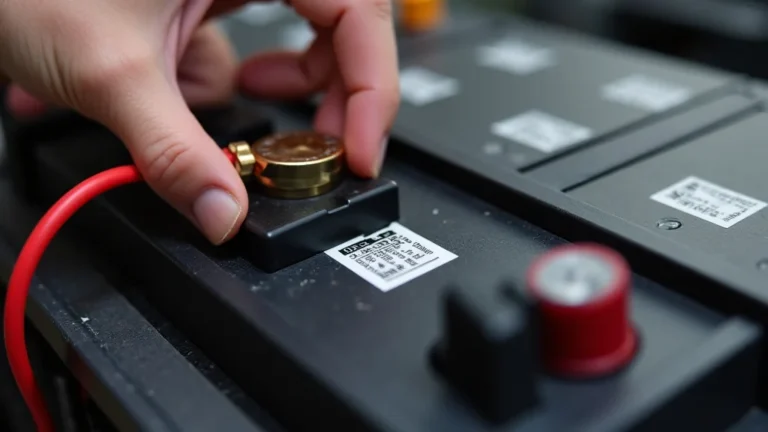
Many modern chargers will automatically detect the battery type and adjust the settings. However, it’s wise to check your battery’s label to confirm the type. The label usually has information about the battery’s voltage (typically 12 volts) and often specifies the type of battery. It also has the cold cranking amps (CCA) rating, which is important for starting your car, especially in cold weather. It’s important to note the CCA value as it is an indicator of the battery’s capability.
Selecting the Right Charger for Your Needs
When selecting a charger, consider both the voltage and the amperage. Most car batteries are 12 volts. Chargers will state the voltage they provide, so make sure it matches your battery’s voltage. The amperage is the rate at which the charger delivers the charge. Generally, a lower amperage will charge the battery more slowly, and a higher amperage will charge it faster. For most car batteries, a charger with an amperage range of 2-10 amps is a good starting point. You will want to look at the maximum output for the charger; this is how the amperage is rated. Many modern chargers have different settings, like “slow charge” (lower amps) and “fast charge” (higher amps).
- Slow Chargers: These chargers deliver a low amperage. They’re good for overnight charging and can be safer for older batteries or batteries that have been deeply discharged.
- Fast Chargers: Fast chargers deliver a higher amperage. They can charge a battery more quickly, but they can also generate more heat. They are best used when you need to get your car running quickly.
- Smart Chargers: Smart chargers are the best choice. They monitor the battery’s condition and adjust the charging rate accordingly. They often have settings for different battery types.
- Charger Features: Look for chargers with safety features like overcharge protection and reverse polarity protection, which prevents damage if the cables are connected incorrectly.
Figuring Out What Amp to Charge Car Battery
Deciding what amp to charge car battery isn’t complicated. The general rule is to charge at a rate of 10% of the battery’s amp-hour (Ah) rating. The amp-hour rating tells you how much current the battery can deliver over time. This is often printed on the battery’s label. If you can’t find the Ah rating, you can often use the CCA (Cold Cranking Amps) rating as a guide. The CCA rating indicates how well a battery performs in cold weather and is usually printed on the battery label. For example, a battery with a 600 CCA rating would typically be charged at a rate of about 6 amps. However, many factors influence the exact charging rate.
Calculating the Charging Amperage
To determine the charging amperage, you need to understand the relationship between amperage, amp-hours, and charging time. The basic formula is that the charging current should be around 10% of the battery’s amp-hour rating. However, this is just a guideline. Many factors influence the exact charging rate and the charging time, including the battery’s condition, the ambient temperature, and the type of charger being used.
- Find the Amp-Hour Rating: Locate the amp-hour rating on the battery’s label. This number may be labeled “Ah” or sometimes just “amp-hours.”
- Calculate the 10% Rate: Multiply the amp-hour rating by 0.10 (10%). This is the recommended charging amperage.
- Example: If your battery has a 60 amp-hour rating, the recommended charging amperage would be 6 amps (60 Ah x 0.10 = 6 amps).
- Adjusting the Amperage: While charging at 10% is a great rule of thumb, it’s safe to use a lower amperage if your charger allows. This is often labeled as “slow charge.”
For instance, a battery rated at 60 Ah is optimally charged at 6 amps. For convenience, many car battery chargers have automatic settings or predefined modes. If your charger has a “slow charge” setting, use it, especially for batteries that have been sitting for a long time. These settings are frequently in the 2-4 amp range. This is less stressful on the battery. Using a faster charge may seem quicker, but it also increases the risk of damaging the battery. Using a smart charger means the charger manages the rate of charge for you.
Charging Time and Factors That Influence It
How long it takes to charge a car battery depends on several things. If you’re charging at 6 amps, a completely dead 60 Ah battery might take 10-12 hours to charge fully. However, it is never a great idea to completely discharge a car battery, as this can reduce its lifespan. Also, charging time varies based on the charger and its features. Many chargers automatically stop charging when the battery is full. Other factors like ambient temperature can also affect charging time. Cold temperatures will make charging take longer.
- Battery Capacity: The larger the battery’s amp-hour rating, the longer it takes to charge. A larger battery has more capacity and requires more energy to fill it up.
- Charger Amperage: Higher amperage charges faster. A 10-amp charger will charge a battery more quickly than a 2-amp charger.
- Battery Condition: Older batteries or those that have been deeply discharged will take longer to charge than newer batteries or those that are only partially discharged.
- Charger Technology: Smart chargers will often take longer because they adjust the charging rate to protect the battery.
Consider two scenarios. First, if you have a 40 amp-hour battery and charge it at 4 amps, the charging time will be roughly 10 hours. Second, if you use a 10 amp charger on a 60 amp-hour battery, it may take 6 to 8 hours. The battery’s state of charge also impacts the time; a partially discharged battery will need less time to fully charge. Keep in mind that these are estimates. Check the charger’s manual, because most chargers provide the estimated charging time based on the battery’s Ah rating.
Steps to Safely Charge Your Car Battery
Charging a car battery involves several key steps to ensure both your safety and the battery’s longevity. This means working in a well-ventilated space and taking precautions when connecting and disconnecting the charger. Many modern chargers have built-in safety features, but it’s important to still follow these safety steps.
Preparing for Charging
Before you begin, consider where you’re doing the charging, your safety, and the battery’s condition. Always charge in a well-ventilated area to prevent the buildup of explosive gases. Inspect the battery for any damage, such as cracks, leaks, or swelling. If you see anything unusual, the battery may need to be replaced and should not be charged. Make sure you are wearing safety glasses and that your charger is unplugged. This helps protect your eyes and prevents accidental shocks.
- Park and Prepare: Park your car in a well-ventilated space, away from flammable materials. Turn off the engine and all electrical devices.
- Safety First: Put on safety glasses and ensure that the charger is unplugged from the power outlet. This prevents any accidental sparks when connecting the charger to the battery.
- Check the Battery: Inspect the battery for any damage, such as cracks or leaks.
- Clean the Terminals: Clean the battery terminals with a wire brush or terminal cleaner to ensure good contact.
Cleaning the battery terminals improves conductivity and ensures the charging process is efficient. You can use a wire brush or a special terminal cleaner for this. If you see corrosion, you can use a mixture of baking soda and water to clean the terminals. Once the terminals are clean and dry, you’re ready to proceed with the charging process. If your battery has removable vent caps, check the electrolyte level, and add distilled water if needed. Be careful not to overfill the battery.
Connecting the Charger to the Battery
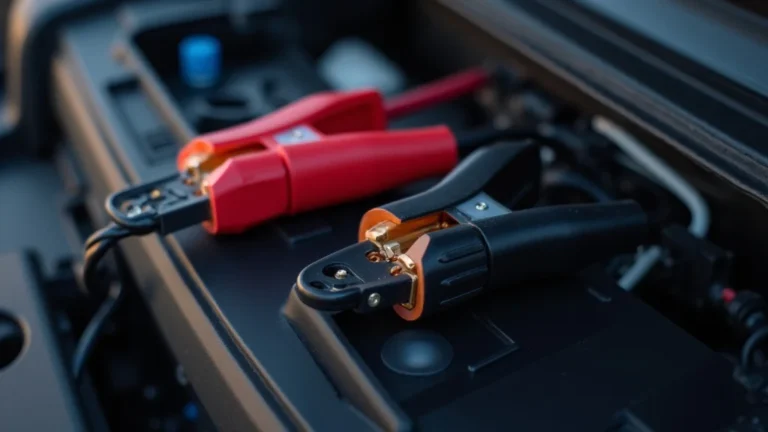
Connecting the charger to the battery properly is critical. Always connect the charger clamps in the correct order to avoid sparks. Many chargers have color-coded clamps: red for positive (+) and black for negative (-). Make sure the charger is unplugged before connecting it to the battery terminals. If you’re using a charger with a clamp attachment, connect the positive (red) clamp to the positive terminal of the battery first. Then, connect the negative (black) clamp to a solid, grounded part of the car’s chassis, away from the battery. This reduces the risk of sparking near the battery’s flammable gases. If your battery is still in the car, make sure that the charger is far away from the car.
- Connect the Positive Clamp: Attach the red (positive) clamp to the positive terminal (+) of the battery.
- Connect the Negative Clamp: Attach the black (negative) clamp to a bare metal surface on the car’s chassis, away from the battery.
- Plug in the Charger: Once the clamps are correctly connected, plug the charger into a power outlet.
- Set the Charger Settings: Set the charger to the correct voltage (12V) and the recommended amperage.
After connecting the clamps, plug the charger into an outlet. Select the appropriate charging mode or amperage setting on the charger. Some chargers have settings for different battery types. Once the charger is set up, turn it on. The charger will then begin sending electricity to the car battery. Monitor the battery while it is charging. Many chargers have indicators that show the battery’s charging progress. Never leave the charger unattended while it’s in use.
Monitoring and Disconnecting the Charger
After starting the charging process, keeping an eye on the battery is essential. You want to ensure there are no issues. Some chargers have indicators showing the charging status and when the battery is fully charged. Once the battery is fully charged, disconnect the charger, but not without following the correct procedure. When disconnecting the charger, the order is important to ensure safety and prevent sparks. Safety first, so be sure you follow these steps precisely.
- Monitor the Charging Process: Keep a close eye on the charging process and the charger’s indicator lights.
- Check for Unusual Activity: Watch out for any unusual activity, like the battery getting excessively hot. If this happens, stop charging.
- Unplug the Charger: After the charging is complete, unplug the charger from the power outlet.
- Disconnect the Negative Clamp: Remove the black (negative) clamp from the car chassis.
- Disconnect the Positive Clamp: Remove the red (positive) clamp from the battery.
During charging, keep a watchful eye on the battery. If you see or smell anything strange, disconnect the charger. Some chargers will have a full charge indicator. If your charger does not have this feature, use a multimeter to check the battery voltage. A fully charged 12-volt battery should read around 12.6 volts or higher. Once the charging is complete, unplug the charger from the power outlet. Disconnect the negative (black) clamp first. Then, disconnect the positive (red) clamp from the battery terminal.
Troubleshooting Common Charging Issues
Even with careful steps, you might encounter issues. Problems like a battery not charging, a charger that won’t turn on, or a battery that gets hot are possible. These problems can be frustrating, but many are easily fixable. It’s often because of a bad connection or the wrong charger settings. Knowing how to troubleshoot common issues can save you time and help you get back on the road sooner.
Dealing with a Battery That Won’t Charge
If your battery doesn’t seem to be charging, start by checking the obvious things. Ensure the charger is plugged into a working outlet. A blown fuse on the charger or the car is also a common issue. Check the connections between the charger and the battery for any issues. Clean any corrosion on the battery terminals with a wire brush or terminal cleaner. A deep-cycle battery may not be responding well to the charge, and this is why a smart charger is useful. If the voltage is too low, many chargers won’t start charging unless there’s a little power to begin with.
- Check the Connections: Make sure the charger clamps are securely connected to the battery terminals.
- Inspect the Charger: Verify that the charger is plugged into a working outlet and the fuse is in good condition.
- Test the Battery: If possible, test the battery with a multimeter to see if it holds a charge.
- Try a Different Charger: If your battery won’t charge with one charger, consider trying a different charger to see if it fixes the issue.
One of the more common causes is a bad connection at the battery terminals. Corrosion can prevent the flow of electricity. Clean the terminals thoroughly with a wire brush or baking soda and water solution. The charger itself could be damaged. If you suspect this, try using a different charger to see if the battery charges. Finally, if the battery is very old, it might have internal damage. You should replace it rather than attempt to charge it if this is the case.
Addressing Charger Malfunctions
If the charger itself isn’t working, several factors might be at play. The first thing to check is the power source. Then, examine the charger’s fuse and
- Check the Power Source: Ensure the charger is plugged into a working power outlet.
- Inspect the Fuse: Check the charger’s fuse and replace it if it’s blown.
- Examine the Cables: Make sure the charger cables and clamps are in good condition.
- Consult the Manual: Review the charger’s manual for specific troubleshooting tips.
Make sure the charger’s fuse hasn’t blown. The fuse will protect the charger. A blown fuse often means there is an electrical problem. Check the cables and connections for any damage. If the charger is still not working after these checks, there could be an internal issue. This is when the charger should be looked at by a professional or replaced. Remember to always consult the charger’s manual for specific troubleshooting steps. It may have helpful tips.
Handling Battery Overheating and Other Problems
If your battery gets hot during charging, turn off the charger immediately. This could indicate a problem with the battery or the charger. Excessive heat can cause the battery to become damaged or even explode. Check for a damaged battery, and look at the charger settings. If the charger settings are too high, it could lead to overheating. A charger that isn’t working properly can also cause overheating. You want to make sure the charger and the battery are working in concert.
- Stop Charging: If the battery gets hot, immediately disconnect the charger.
- Check the Charger Settings: Make sure you are using the correct amperage.
- Inspect the Battery: Look for any physical damage, such as swelling or leaks.
- Consult a Professional: If the problem persists, have the battery and charger inspected by a professional.
Check the charger setting to make sure you are using the correct amperage. If the battery is old or damaged, it might not be able to handle the charging process properly, leading to overheating. A damaged battery can become dangerous. If the battery shows any signs of damage, you should stop charging it. Contact a professional for assistance if problems continue.
Frequently Asked Questions
Question: What do the numbers on a car battery mean?
Answer: The numbers on a car battery provide important information like voltage, CCA (Cold Cranking Amps), and amp-hour ratings. They are essential for determining the battery’s performance and selecting the appropriate charger and amperage settings.
Question: Can I overcharge a car battery?
Answer: Yes, overcharging a car battery is possible and can cause damage. Overcharging can lead to battery overheating, reduced lifespan, and even the risk of explosion. Smart chargers prevent overcharging by automatically stopping when the battery is full.
Question: How long does it take to charge a car battery?
Answer: The charging time depends on the battery’s capacity and the charger’s amperage. A 60 amp-hour battery charged at 6 amps might take 8-10 hours. Deeply discharged batteries and lower amperage chargers will require more time.
Question: Is it safe to leave a car battery charger connected overnight?
Answer: It’s generally safe to leave a smart charger connected overnight. Smart chargers monitor the battery and automatically stop charging when it’s full. However, it’s best to check the charger’s manual for specific instructions.
Question: What should I do if my car battery keeps dying?
Answer: If your car battery keeps dying, it could be a sign of a problem with the battery, the charging system, or parasitic drain. Have your battery and charging system checked by a mechanic. Address any issues like corrosion or a bad alternator.
Final Thoughts
You now know what amp to charge car battery, and you’re well on your way to keeping your car running smoothly. Remember, the best approach is to use a smart charger and follow the steps in this guide. This will help you charge your battery correctly and safely. Learning about different battery types, choosing the correct charger, and how to connect it safely are all key things to remember. By practicing these easy steps, you can confidently deal with a dead battery and keep your car ready to go. So, the next time your car battery needs a boost, you will be prepared to take action. This knowledge will save you from frustration and get you back on the road quickly.