Can Dash Cam Drain Battery? How to Prevent Battery Issues
If you’ve just got a new dash cam, you might be wondering: can dash cam drain battery? It’s a common worry, especially for folks new to dash cams. Don’t sweat it! It’s like any electronic gadget in your car – it uses power. We’ll explore the basics of how dash cams work and what causes battery drain. We’ll give you a simple, step-by-step plan to keep your car battery safe and sound. Then, we’ll look at the details so you can keep your dash cam running right.
How Dash Cams Function and Power Consumption
Dash cams, or dashboard cameras, are small video recorders that mount inside your car. They capture video footage of your drives, acting like a witness for accidents, road trips, or even just keeping an eye on things while your car is parked. These devices have become pretty common because they provide evidence if something happens, like a crash or theft. However, because they are constantly working, they consume power from your car’s electrical system, and the question of how much power they use becomes important. Understanding how they work is the first step in solving the puzzle of dash cam battery drain.
Dash Cam Basics: Recording and Features
A typical dash cam has a camera lens, a processor, storage (usually an SD card), and a power connection. When you start your car, the dash cam gets power and starts recording. It continuously saves footage, overwriting the oldest files when the SD card fills up, or, it might use a loop recording function where it records over older footage. It also often has special features like a G-sensor, GPS, or parking mode. The G-sensor detects sudden movements (like a collision) and saves the current video as a protected file that won’t be overwritten. GPS records your location and speed. Parking mode allows the camera to monitor your car even when it’s off, using a small amount of power. All these features increase the power needs.
- Camera Lens and Sensor: The lens captures the view in front of your car, and the sensor converts that light into an image. The quality of the lens and sensor greatly impacts video quality. Higher resolution and frame rates mean more data is processed, requiring more power.
- Processor: This is the “brain” of the dash cam. It processes the video feed, compresses the files, and manages the camera’s features. A more powerful processor can handle more complex tasks, but it also uses more power.
- Storage (SD Card): The SD card stores the video footage. The size of the card determines how much video can be saved before it’s overwritten. The speed of the card matters because it affects how quickly the video can be saved.
- Power Connection: Dash cams connect to your car’s power source, usually through the cigarette lighter port (12V) or by a hardwire kit. The power connection delivers the necessary electricity for the camera to operate.
Many people find these features very useful because they provide evidence in case of an accident or other incident. This extra power draw is what brings up the question of can dash cam drain battery.
Power Consumption: Amps, Volts, and Battery Drain
The power your dash cam uses is usually measured in watts or amps. Watts are a measure of power, and amps measure current flow. A dash cam usually uses a low amount of power, maybe 1 to 3 amps at 12 volts, but it depends on the camera’s features and if parking mode is active. Your car battery provides power at 12 volts. If the dash cam consumes more power than your battery can generate, or if it runs for a long time without the engine running to recharge the battery, it can lead to a flat battery. Even a small amount of current draw over a long period can cause a significant drain, particularly if the vehicle isn’t driven often.
- Continuous Power Draw: Even when not actively recording, some dash cams draw a small amount of power. In standby mode or with parking mode enabled, the camera monitors for events and keeps some systems active. This can drain the battery over time.
- Parking Mode and its Impact: Parking mode keeps the camera running when the car is off. It detects motion or impacts and starts recording. This feature significantly increases power use because the camera is constantly monitoring.
- Battery Health: A weak or old battery is less efficient at holding a charge. If your car battery is already on the older side, it will drain faster with a dash cam connected, even if the camera’s power use is minimal.
A recent study showed that a dash cam in parking mode could drain a fully charged 60 amp-hour battery in 24-48 hours. This makes understanding power consumption and preventing battery issues extremely important.
Preventing Dash Cam Battery Drain
Stopping battery drain from your dash cam is easy. It involves understanding the camera’s settings, the electrical system of your car, and how you use both. The key is to manage the power usage so that it doesn’t exceed what your car battery can provide or can recharge. This is usually achievable by setting up the camera properly and by taking good care of the car battery itself. By following some key steps, you can greatly reduce the risk of a drained battery.
Power Management: Camera Settings and Hardwire Kits
The settings on your dash cam can significantly impact its power usage. For example, disabling parking mode can greatly reduce the power needed, because it turns off features that monitor the car when it is parked. The camera’s settings often include options to adjust video resolution, turn off the screen, and change the recording duration. Using a hardwire kit, which connects directly to the car’s fuse box, can provide a more stable power supply and features like low-voltage cut-off to protect your battery.
- Disable Parking Mode: If you’re concerned about battery drain, the easiest solution is to turn off parking mode. This stops the camera from recording when your car is off, reducing power consumption.
- Adjust Video Resolution: Lowering the video resolution (e.g., from 4K to 1080p) will use less power. The camera needs less electricity when processing lower-quality video. This impacts file size, storage capacity needs, and power consumption.
- Use a Hardwire Kit: A hardwire kit connects directly to your car’s electrical system and can offer a low-voltage cut-off feature. This means the camera will shut off when the car battery’s voltage drops below a certain level, preventing complete battery drain.
A hardwire kit often includes a low-voltage cut-off setting. This critical feature automatically turns off the dash cam if your car battery voltage drops below a predetermined level (e.g., 11.8V or 12.0V). This protects your battery from fully discharging. This feature can be critical when thinking about can dash cam drain battery.
Battery Health and Maintenance for Avoiding Problems
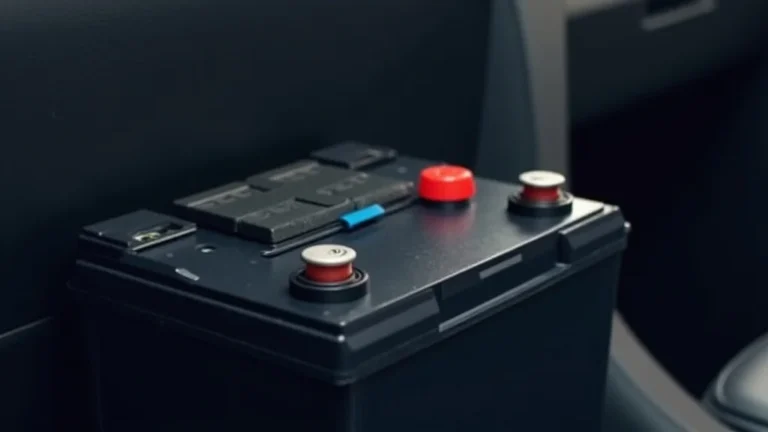
The condition of your car battery is a major factor in whether a dash cam can drain it. A battery that’s old, weak, or not fully charged is more at risk. Routine checks, like making sure the terminals are clean and free of corrosion, can greatly extend battery life. Regular maintenance, such as checking the battery’s voltage and getting it tested at a mechanic, is also key. By keeping your battery in good shape, you’re less likely to have issues with your dash cam draining its power.
- Regular Battery Tests: Get your battery tested by a mechanic to ensure it can hold a charge. They can check its voltage and make sure it’s in good shape.
- Check Battery Terminals: Make sure the terminals are clean and free from corrosion. Corrosion can reduce the flow of electricity, making the battery drain faster.
- Regular Driving: Drive your car regularly to keep the battery charged. Short trips don’t give the battery enough time to recharge, especially if the dash cam is constantly running.
- Consider a New Battery: If your battery is old or showing signs of weakness (slow starts, dim headlights), consider replacing it. A new, healthy battery is less likely to drain.
Many mechanics recommend replacing a car battery every 3-5 years, depending on use and conditions. This helps ensure it can provide the power your car needs, including the dash cam.
Power Usage Scenarios
- Scenario 1: Short Trips and Parking Mode: You use your car for short trips and regularly park it with the dash cam in parking mode. The dash cam’s constant power draw combined with short drives will gradually drain the battery. In this case, turning off parking mode or using a hardwire kit with low-voltage protection is key.
- Scenario 2: Long Commutes and No Parking Mode: You have long commutes and don’t use parking mode. The dash cam will draw power while driving, but the battery will have enough time to recharge during the trip. As long as the battery is healthy, battery drain is less of a concern. However, remember to check your camera settings and battery to avoid future problems.
- Scenario 3: Infrequent Use and Extended Parking: You don’t drive your car often, and the dash cam is left running while parked. This extended use and low recharge time can drain the battery quickly. For those with this pattern of driving, disabling parking mode or disconnecting the dash cam when the car is not in use can help.
The Impact of Dash Cams on Battery Life
The effects of a dash cam on your car’s battery life is a key question. The impact relies on how you use your dash cam, the camera features, and how well you take care of your car battery. Understanding these influences can help you prevent any battery issues and also make the right choices for your situation.
Factors Influencing Battery Drain
Several factors affect how much a dash cam drains your battery. These include the features of the camera, the settings you choose, how you use your car, and the health of the car’s battery itself. Features such as parking mode, high-resolution video, and constant recording all increase power consumption. The longer the camera is running, and the lower the battery charge, the faster the battery will drain.
- Dash Cam Features: High-end cameras with multiple features (GPS, Wi-Fi, motion detection) typically consume more power than basic models. Each feature adds to the overall current draw.
- Video Resolution and Frame Rate: Recording at higher resolutions (e.g., 4K) and higher frame rates uses more power because the camera has to process and store more data. Lowering the resolution reduces power consumption.
- Parking Mode Settings: The settings of your parking mode affect power use. Some cameras have low-power parking modes that consume less electricity than full parking mode. Adjust these settings to reduce power draw.
- Driving Habits: Frequent short trips don’t give the battery enough time to recharge. Longer trips recharge the battery more fully, counteracting the effects of dash cam power use.
If you mainly drive short distances, the dash cam may cause more noticeable battery drain. For longer drives, the battery will have time to recharge, reducing the impact.
Real-Life Examples and Results
Real-life examples show how these factors come together.
- Case Study 1: A driver with an older car and a dash cam set to record in 4K resolution and with parking mode enabled found their battery dying frequently after a few days. After turning off parking mode and lowering the video resolution, the battery drain issues stopped.
- Case Study 2: Another driver used a hardwire kit with a low-voltage cut-off. They could leave their dash cam on in parking mode without worrying, because the camera shut off before the battery could be drained too much.
These examples illustrate that, depending on your setup and habits, the risk of a drained battery varies. You can make adjustments to prevent issues.
Additional Considerations
Besides the dash cam’s features and settings, some other things affect battery drain. The age of your car’s electrical system and the quality of the car battery, are all important. Wiring that is damaged, corrosion on terminals, or faulty electrical components, can also increase the power draw. Regular maintenance and paying attention to these areas is key to reducing your risk.
- Car’s Electrical System: Older cars may have less efficient electrical systems, which can make them more susceptible to battery drain.
- Ambient Temperature: Extreme temperatures (both hot and cold) can affect battery performance. Cold weather reduces battery capacity. Hot weather can cause the battery to discharge faster.
- Battery Type: Some battery types are better suited for handling the constant power drain. AGM (Absorbent Glass Mat) batteries are more resistant to deep discharges than traditional lead-acid batteries.
- Professional Installation: If you’re not comfortable with electrical work, have your dash cam professionally installed to ensure it’s connected safely and correctly.
Many mechanics and electricians advise a checkup of your electrical system if you are worried. Knowing the state of the vehicle can help determine if the dash cam can cause a battery drain.
Frequently Asked Questions
Question: Can I leave my dash cam plugged in all the time?
Answer: Yes, you can. However, to be safe, disable parking mode or use a hardwire kit with a low-voltage cut-off to prevent battery drain if you don’t drive frequently.
Question: Does parking mode drain the battery faster?
Answer: Yes, parking mode significantly increases battery drain because the dash cam continues to monitor your car, even when it’s turned off.
Question: How long can a dash cam record in parking mode?
Answer: This varies. It depends on your battery’s health, the camera’s power consumption, and the parking mode settings. Most dash cams will shut off to preserve battery life.
Question: Will a hardwire kit always prevent battery drain?
Answer: A hardwire kit with a low-voltage cut-off usually prevents complete battery drain, but it may still reduce the battery’s charge over time if you don’t drive frequently.
Question: What’s the best way to prevent battery drain from a dash cam?
Answer: The best methods are to disable parking mode, adjust camera settings to reduce power consumption, and ensure your battery is healthy. Using a hardwire kit with a low-voltage cut-off adds an extra layer of protection.
Final Thoughts
The main thing to keep in mind is that can dash cam drain battery, but it doesn’t have to be a major problem. By being aware of your dash cam’s power use and your car’s battery condition, you can take control of the situation. Adjusting camera settings, especially turning off parking mode when you don’t need it, can significantly reduce the risk of a dead battery. Regular battery checks, and making sure you drive your car regularly, are also key. With a bit of knowledge and some simple steps, you can keep your dash cam running without risking your battery. Keep in mind that a hardwire kit is a useful tool to have, but it is not a must-have for every vehicle. With these suggestions, you’ll be well-prepared to enjoy the benefits of your dash cam with confidence. Don’t worry, enjoy your driving, and be sure to check your dash cam from time to time.